

Turn your data into insight. Let's start with a 40-hour Tableau proof-of-concept for $2,500. Send your brief →
Opening Opus.pro for the first time doesn’t feel like launching a video editor. It feels like stepping into an automated content engine.
Instead of timelines, layers, and manual cuts, the platform immediately positions itself around one core promise: turn long-form videos into viral-ready clips with minimal effort. That shift is noticeable right away.
As I started exploring, what stood out wasn’t just automation, it was intent. Opus doesn’t just cut videos randomly; it analyzes structure, pacing, and conversational peaks. It felt less like using a tool and more like handing off raw footage to an editor that already understands what works on TikTok or Reels.
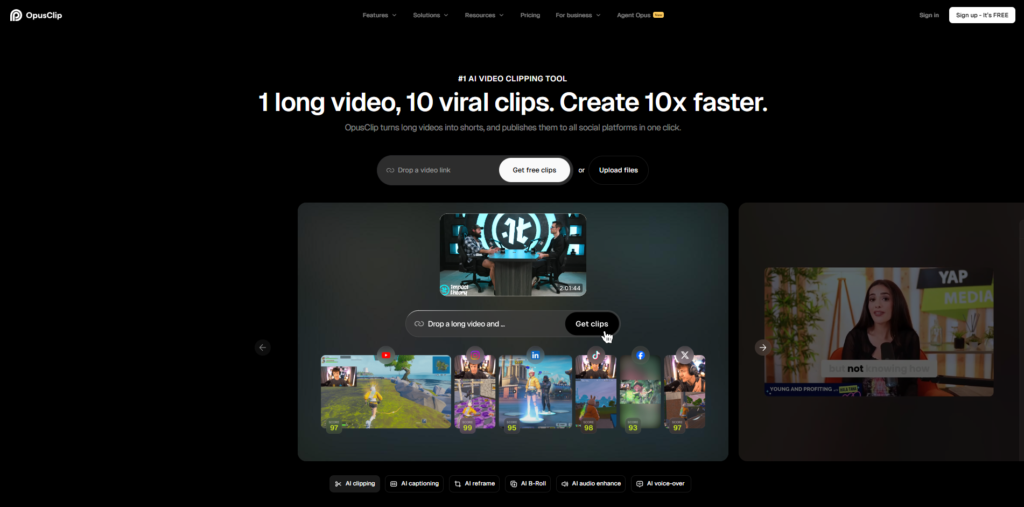
The homepage is built to convert and it does that well.
The messaging is clear within seconds: “Turn long videos into viral clips.” There’s no ambiguity about who it’s for or what problem it solves.
What I found effective is how the platform avoids over-explaining. Instead of listing features, it shows actual clip outputs inline. You see captions animating, speakers reframed, and hooks highlighted, all before signing up.
From a UX perspective, the flow is obvious without being stated:
Upload → AI processing → clips → publish
There’s very little cognitive load here. You’re not figuring things out but you’re being guided.
Getting started is fast and almost aggressively so.
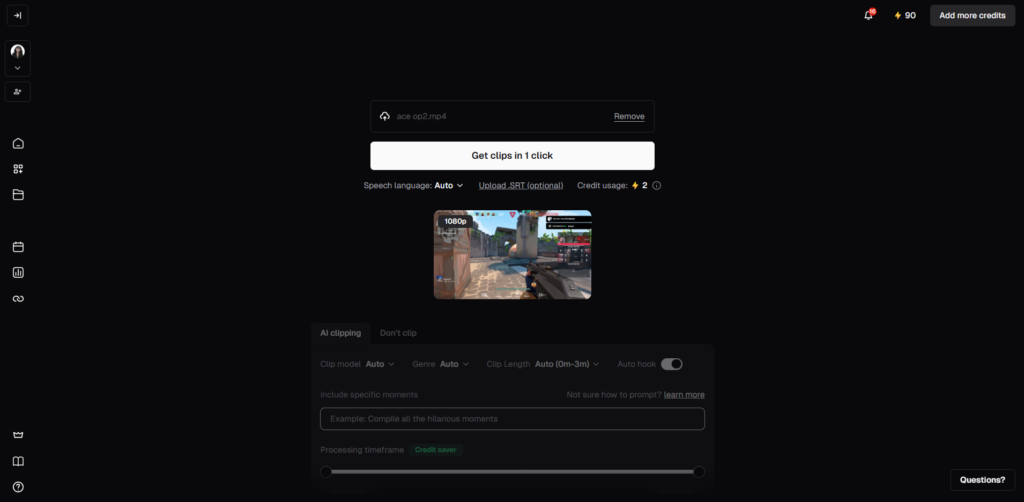
I signed up via Google, and within moments, I was prompted to upload a video. No tutorials, no onboarding tours, just immediate action.
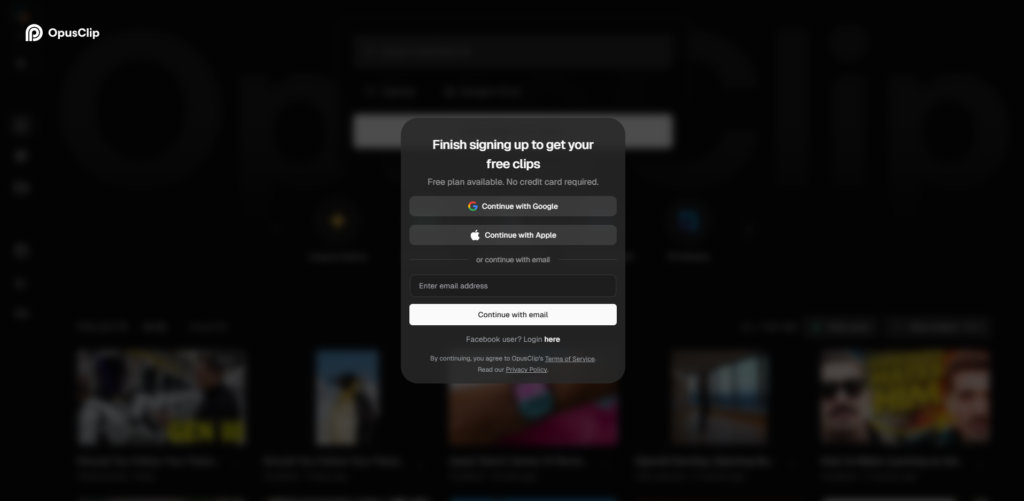
Here’s what the process felt like:
What stood out is how quickly the product proves its value. Within minutes, I had several clips ready, complete with captions and vertical formatting.
There’s no “learning phase.” The product teaches through output.
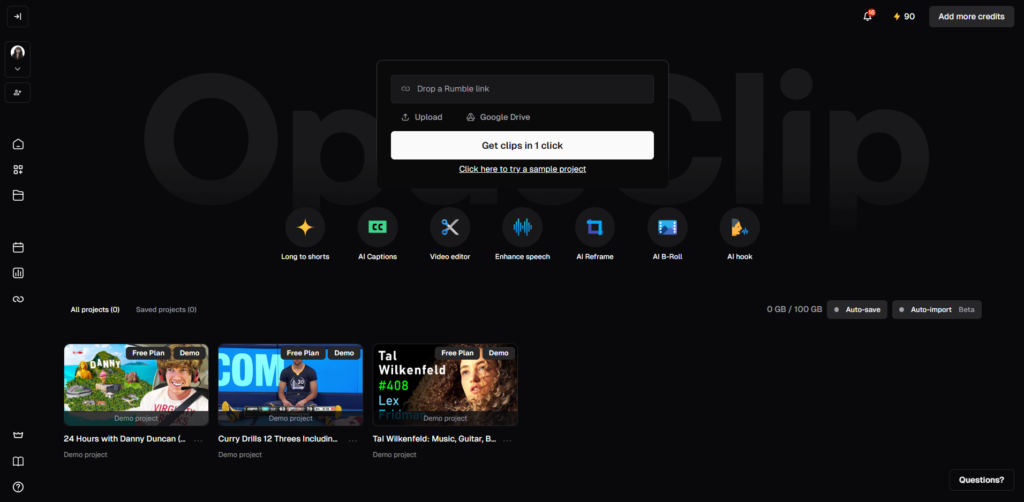
The dashboard feels more like a production pipeline than a creative workspace.
Instead of timelines, everything is organized into clear stages:
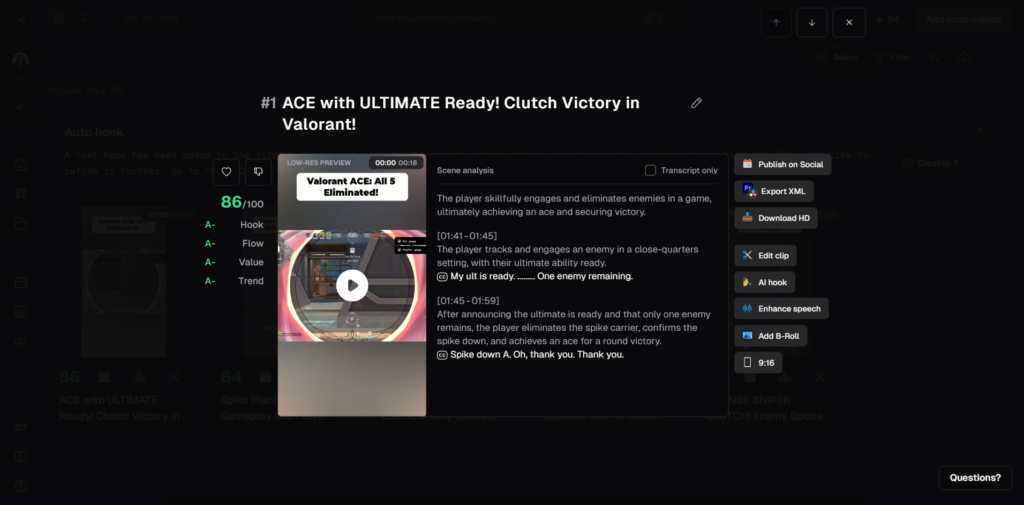
Each clip appears as a card with:
Editing is intentionally lightweight. You’re not building clips from scratch but you’re refining what the AI already created.
This design decision is deliberate. The interface prioritizes speed and volume over control, which aligns perfectly with its use case.
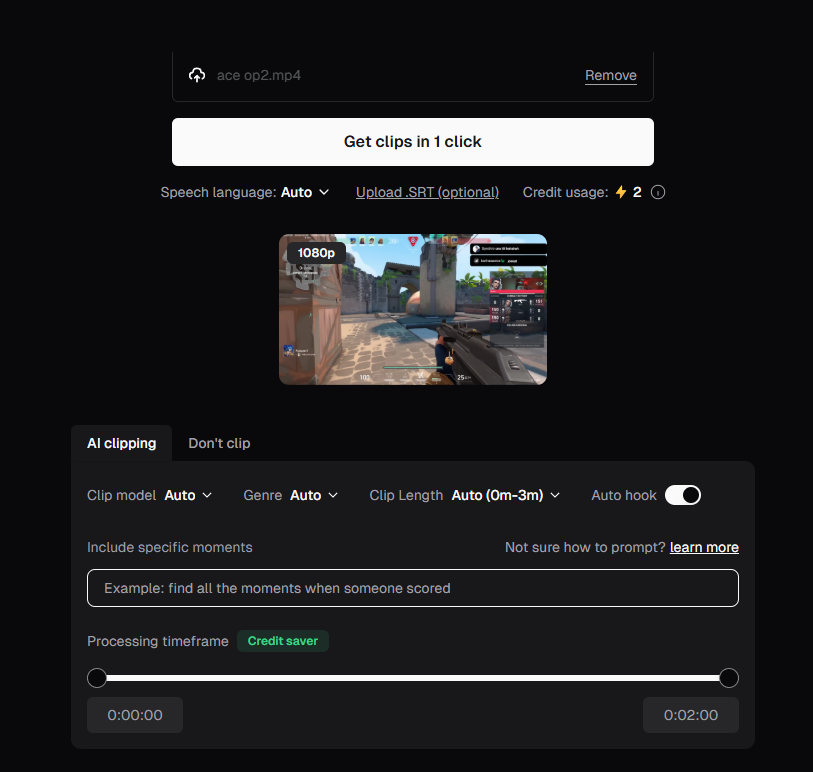
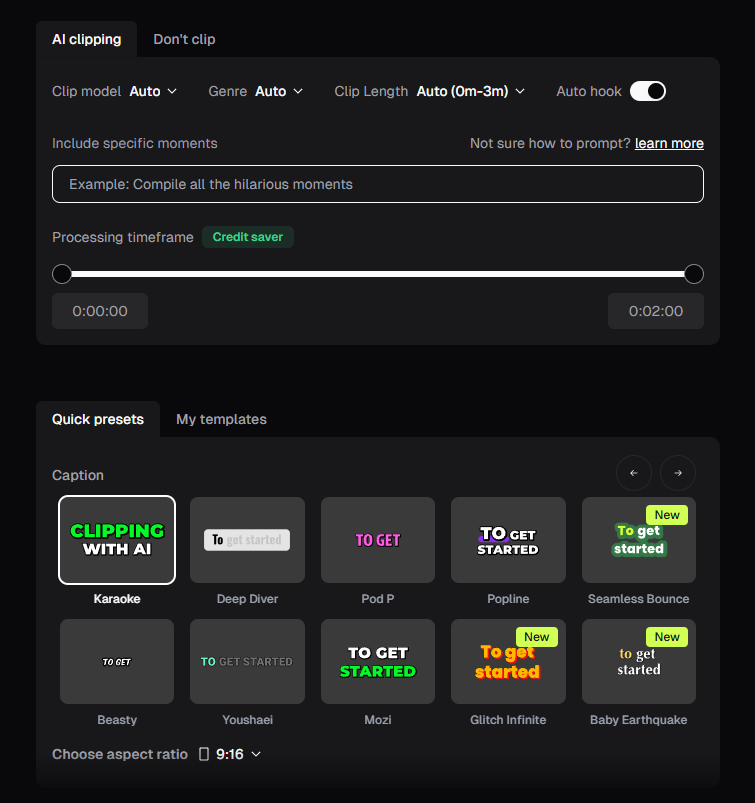
After uploading a long-form video, Opus automatically segments it into highlight-worthy moments.
What impressed me is that the cuts weren’t random, they were structured around hooks, punchlines, and transitions. It’s clear the AI is analyzing both audio and context, not just timestamps.
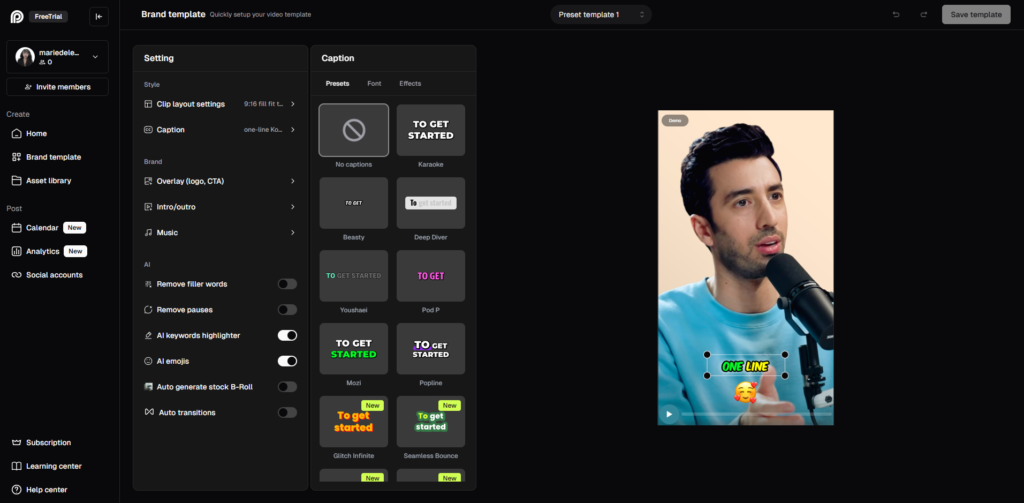
Captions are generated instantly and styled in a way that feels native to short-form platforms.
Key words are emphasized, timing is tight, and the pacing matches speech naturally. It resembles the kind of captions you’d typically spend time designing manually.
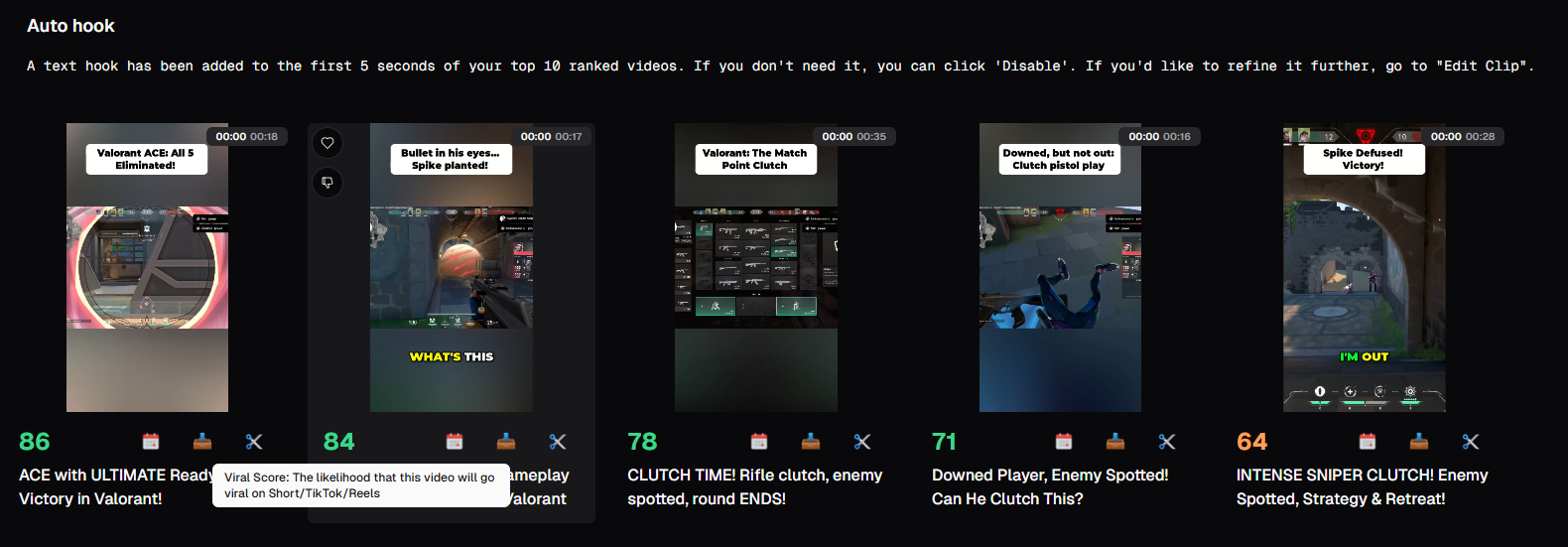
Each clip comes with a “virality score,” which estimates engagement potential.
While it’s not something I’d rely on blindly, it’s useful for prioritization, especially when you’re generating multiple clips at scale.
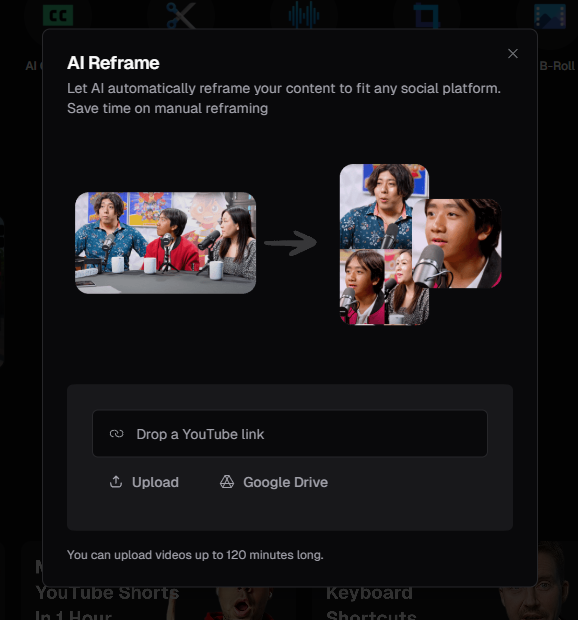
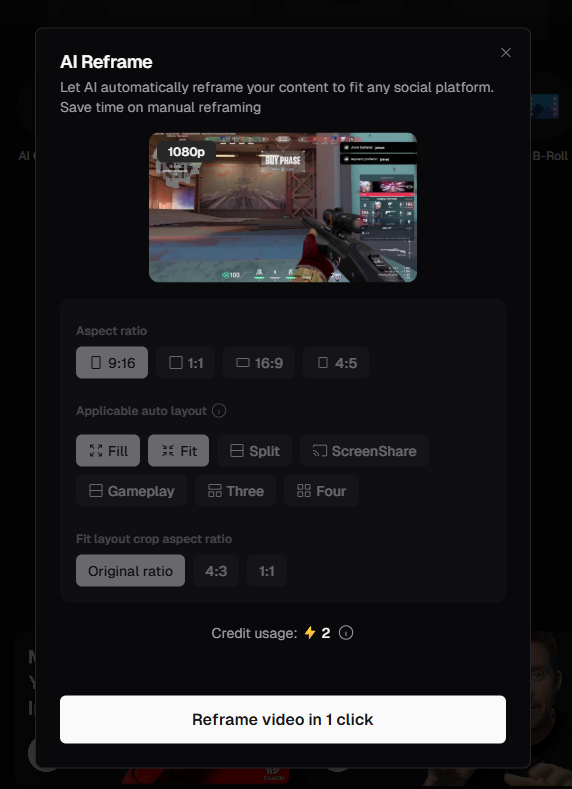
The platform automatically adjusts framing to keep subjects centered.
This is especially noticeable in interviews or podcasts, the AI tracks speakers and keeps the visual focus aligned, even when the original video isn’t optimized for vertical viewing.
From a design standpoint, Opus is clearly optimized for output, not process.
There’s no clutter, no deep menus, no unnecessary options. It reduces decision fatigue by limiting what you can tweak.
From a technical perspective, the product implies a system built around:
The experience reflects a strong product philosophy:
eliminate friction by removing the need for traditional editing altogether.
While the full stack isn’t publicly detailed, the behavior of the platform suggests a modern AI-driven architecture:
This setup explains:
The team behind Opus.pro clearly understands the creator economy.
The product is built around a very specific bottleneck:
turning long-form content into multiple short-form assets efficiently.
Everything from the UI to feature prioritization, reflects that focus on scale and speed.
Using Opus.pro feels like shifting from manual editing to AI-assisted content scaling.
It’s important to frame it correctly, it’s not competing with tools like Premiere Pro. It’s solving a completely different problem. If traditional editors are about crafting one perfect video, Opus is about turning one video into dozens of usable assets.
For creators, marketers, and agencies working with long-form content, this can compress hours of editing into minutes of review.
The best way to think about it:
Opus isn’t a video editor, it’s a content multiplier.