


Turn your data into insight. Let's start with a 40-hour Tableau proof-of-concept for $2,500. Send your brief →

I tried Mathpix expecting it to be just another OCR tool for equations, but it ended up feeling much closer to a productivity workspace for technical writing. The core idea is simple. You take a screenshot of math, handwritten notes, tables, PDFs, or scientific documents, and Mathpix converts them into editable text, LaTeX, Markdown, or structured formats almost instantly.
What immediately made the product interesting to me is how focused it is on people who actually work with dense technical content every day. Students, researchers, engineers, developers, and academic writers are clearly the target audience. Instead of trying to be a general document scanner, Mathpix feels purpose built for workflows involving equations, academic papers, and note digitization.
The moment I started testing notes from lecture slides and handwritten formulas, the value became obvious. It removes a huge amount of manual retyping, especially for LaTeX users.

The first thing I noticed when opening the Mathpix website was how direct the messaging is. The homepage immediately shows equation recognition examples and document conversion demos, so the value proposition is clear within seconds.
The design feels modern and technical without being overwhelming. There is a lot of whitespace, clean typography, and product-focused visuals. Instead of marketing-heavy copy, the site leans into showing actual outputs and workflows, which works well for this kind of product.
I also liked that the homepage quickly introduces multiple use cases instead of locking the product into a single niche. One section focuses on handwritten notes, another on PDFs, and another on Markdown and LaTeX workflows. That positioning makes the platform feel broader than a simple screenshot utility.
You can explore Mathpix here.
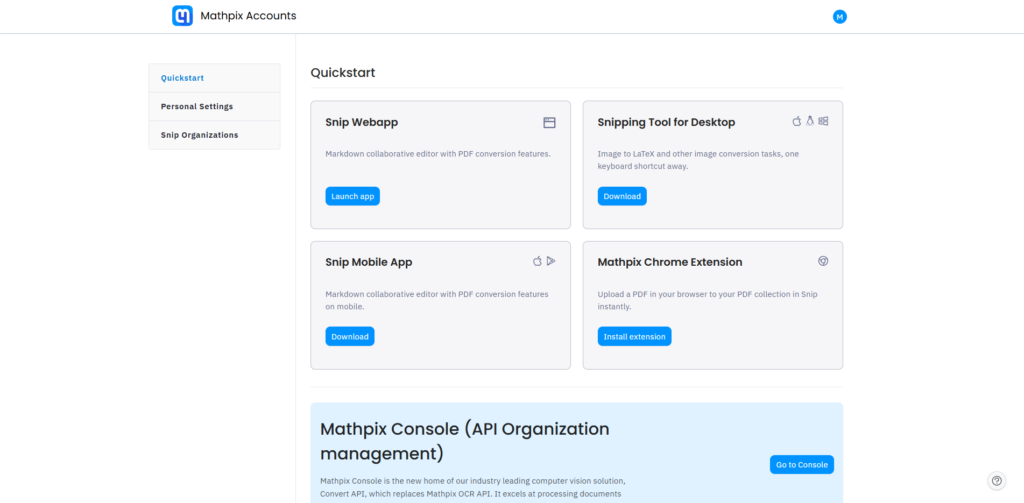
The signup process was straightforward. I tested the email signup flow, and there were also options for Google authentication which made onboarding faster.
The first good UX decision appeared immediately after account creation. Instead of throwing me into a complicated dashboard, Mathpix guides users toward downloading the Snip application, which is really the core experience of the platform.
The onboarding experience was surprisingly fast because the time to first value is extremely short. Within minutes, I was taking screenshots of equations and seeing them converted into clean LaTeX automatically.
One standout moment was how accurate handwritten equation recognition felt compared to typical OCR products. Even messy symbols were interpreted correctly more often than I expected.
The only slight friction point was understanding the relationship between the web dashboard and the desktop Snip tool at first. Once I realized the desktop app handles capture while the web interface organizes outputs and documents, the workflow became clearer.

Inside the dashboard, the interface stays minimal and productivity focused. Navigation is simple, with sections for Snips, documents, conversions, and exports.
The layout prioritizes content over decoration. Most of the screen space is dedicated to previews, recognized text, and export controls.
One thing I appreciated was how quickly actions become accessible. I could immediately upload PDFs, organize snippets, copy LaTeX, or export Markdown without hunting through menus.
The editor itself feels intentionally built for technical users. Markdown rendering, equation previews, and formatting options are integrated naturally instead of feeling bolted on later.
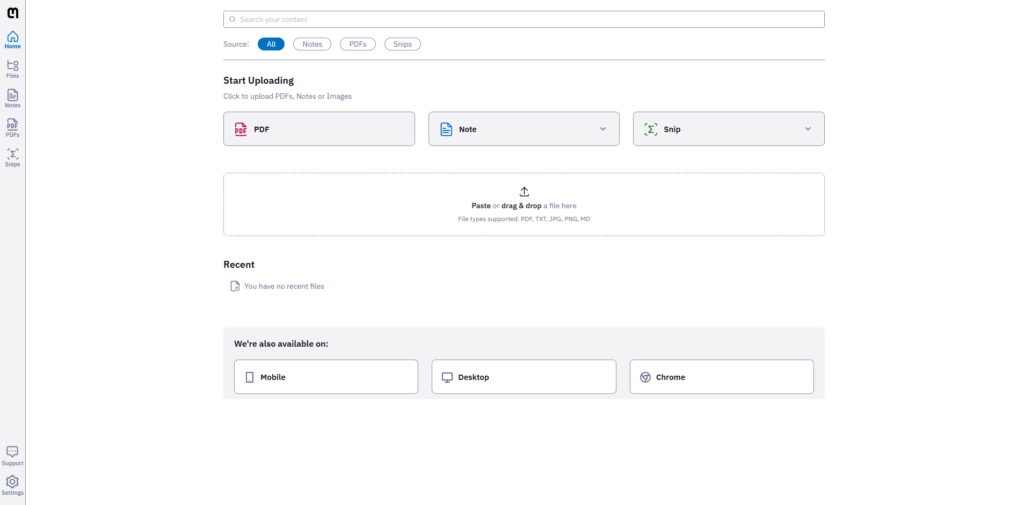
The most impressive feature is still the screenshot-to-LaTeX workflow. I tested multiple equations from lecture notes, and the recognition accuracy was genuinely strong. Instead of manually rebuilding equations in LaTeX, I could simply capture them and paste the generated code directly into a document.
Another feature that stood out was PDF conversion. I uploaded scanned academic documents and watched Mathpix convert them into structured Markdown with preserved equations and formatting. That workflow alone could save researchers or students hours of cleanup work.
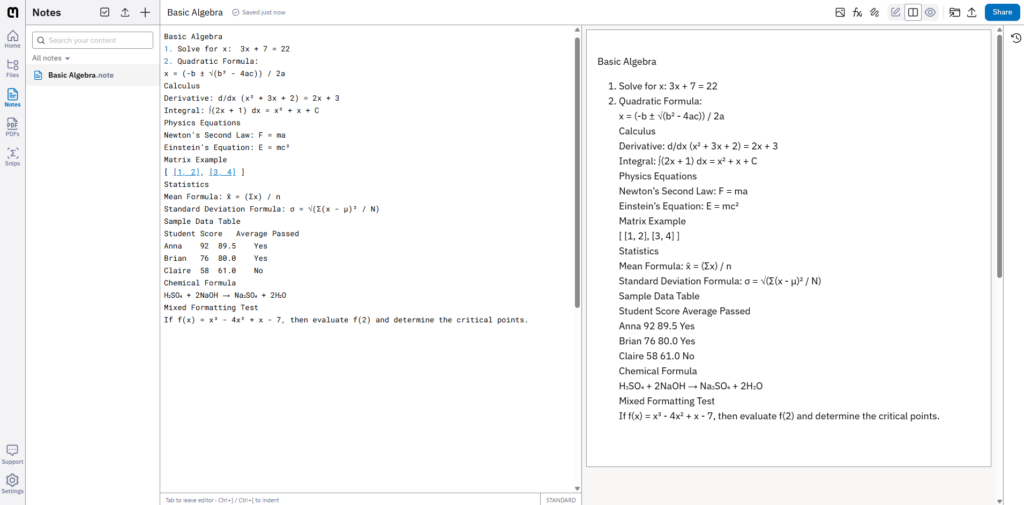
The note organization system was also more useful than I expected. Snippets are stored in a searchable workspace, which means the platform gradually becomes a searchable archive of equations, notes, and technical references.
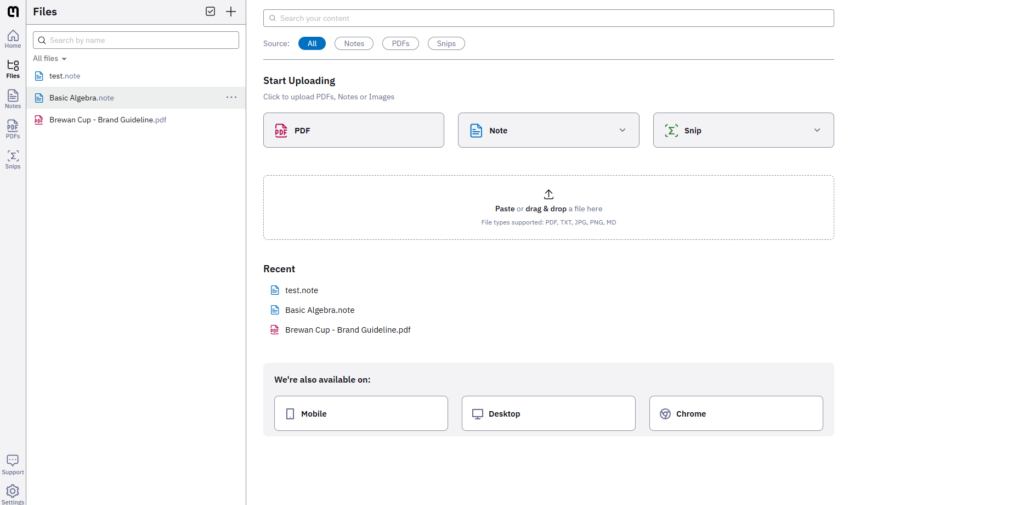
One limitation I noticed is that recognition quality still depends heavily on image quality and handwriting clarity. Complex layouts with overlapping symbols occasionally required manual correction. Still, compared to traditional OCR tools, the accuracy level feels significantly ahead.
From a product design perspective, Mathpix clearly follows a utility-first philosophy. Every interaction is optimized around speed and reduced friction.
The UI patterns are very consistent. Capture, preview, edit, and export actions are repeated across different workflows, which lowers the learning curve quickly.
I also noticed how intelligently the product handles progressive complexity. New users can simply capture equations and copy results, while advanced users can move deeper into Markdown exports, API integrations, and document pipelines.
For developers, the API positioning is particularly interesting because Mathpix is not just selling an app. It is effectively selling OCR infrastructure specialized for scientific and mathematical content.
The interaction design also reflects strong workflow thinking. Most actions minimize context switching. Instead of moving between multiple apps for OCR, formatting, and exporting, Mathpix centralizes the process into one pipeline.
Based on the product behavior and public documentation, the stack appears heavily optimized for OCR and document processing workflows.
The platform appears to use a React-based web interface with desktop integrations for a smooth user experience. Its backend relies on cloud-based document processing infrastructure, while the AI layer is likely powered by proprietary OCR and equation recognition models optimized for STEM content. The system also appears to use scalable cloud infrastructure with an API-focused architecture for performance and reliability.
The real technical differentiator is clearly the equation recognition engine. Generic OCR products struggle heavily with math notation, while Mathpix appears specifically trained for structured scientific content.
Mathpix was built around the idea of making scientific communication easier and more digitized. The company positions itself as infrastructure for technical documents and mathematical content rather than simply an OCR startup.
The mission becomes obvious while using the product. Everything revolves around reducing friction for researchers, students, educators, and technical professionals handling complex notation daily.
That specialized positioning is probably one of the reasons the product feels more refined than broader OCR competitors.
Mathpix publicly lists pricing tiers with both individual and API-oriented plans.
The free tier includes limited OCR usage and basic document processing features, which is enough to test the platform properly before upgrading.
Paid plans increase processing limits, unlock advanced document conversion capabilities, and provide more extensive export functionality. API access is also available for developers and organizations integrating Mathpix into larger workflows.
The pricing structure strongly suggests a product-led growth strategy. The free plan is functional enough to create habit formation, while heavier academic or professional workflows naturally push users toward paid tiers.
There is also a clear enterprise and developer angle through API monetization, which expands the business beyond individual subscriptions.

After spending time with Mathpix, the strongest impression I came away with is how focused the product is. It does not try to become a general productivity suite. Instead, it solves a very specific technical pain point extremely well.
For students, researchers, engineers, and LaTeX users, the workflow improvements are immediate. The screenshot-to-equation conversion alone can dramatically reduce repetitive work.
What makes the product stand out most is the combination of OCR accuracy, structured exports, and workflow design. Many OCR tools can extract text, but very few handle scientific notation and document formatting at this level.
The biggest strengths are speed, accuracy for mathematical content, and export flexibility. The main limitation is that difficult handwriting or poor image quality can still produce occasional errors, although far less frequently than standard OCR platforms.
If your daily workflow involves equations, technical PDFs, research notes, or Markdown documentation, Mathpix is absolutely worth trying.

The Technology newsletter is a weekly digest of tech reviews, columns and headlines from Media Editor Mariebeth De Leus and RoadMap Founder Hoofar Pourzand.
Write to Hoofar at hpourzand@tryroadmap.com or Follow him here.