

Turn your data into insight. Let's start with a 40-hour Tableau proof-of-concept for $2,500. Send your brief →

Recraft is an AI-powered design and image generation platform that focuses on creating high-quality visuals, vector-style graphics, and brand-ready assets from text prompts. It is built for designers, marketers, and product teams who need fast visual output without jumping between multiple design tools.
When I first opened Recraft, I immediately got the sense that it is trying to sit somewhere between a generative AI tool and a lightweight design studio. It is not just about generating images, but about controlling style, consistency, and output format in a way that feels closer to a real design workflow rather than a one-off AI image generator.

The landing page feels clean and product-focused. The main message is clear right away: this tool is about creating and controlling visual content with AI rather than just prompting random images.
What stood out immediately is how much emphasis they place on structured design outputs like vectors and consistent styles. Instead of chaotic AI art examples, the visuals feel curated and closer to real brand assets.
The design of the site itself is minimal and modern. There is no overload of text, and the interface previews give you a strong idea of what the tool actually produces before you even sign up.
You can explore Recraft Ai here.
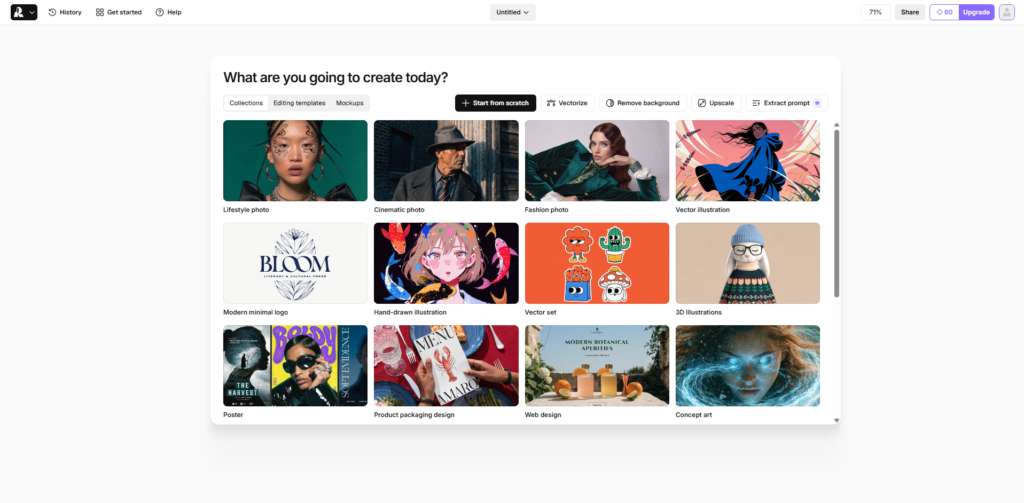
Signing up is fast and straightforward. I was able to create an account in seconds using a simple email flow. Google login is also available, which removes friction even further.
Once inside, the onboarding is very light. Instead of forcing a long tutorial, it drops you directly into the workspace with a prompt input ready to go. This is good because you reach the “first value moment” almost instantly, which in this case is generating your first image or design.
There is a slight learning curve in understanding how Recraft differentiates between image generation, vector output, and style control, but the interface does guide you through it naturally as you start clicking around.
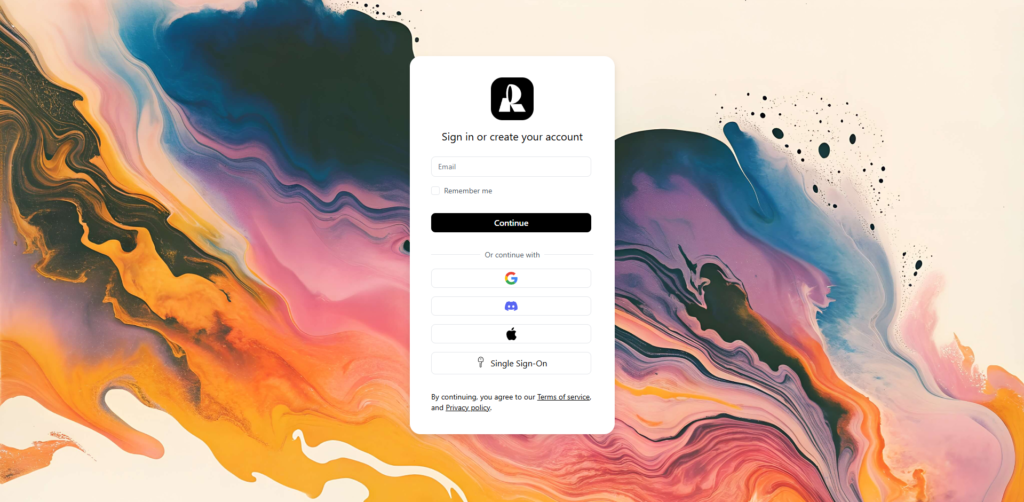
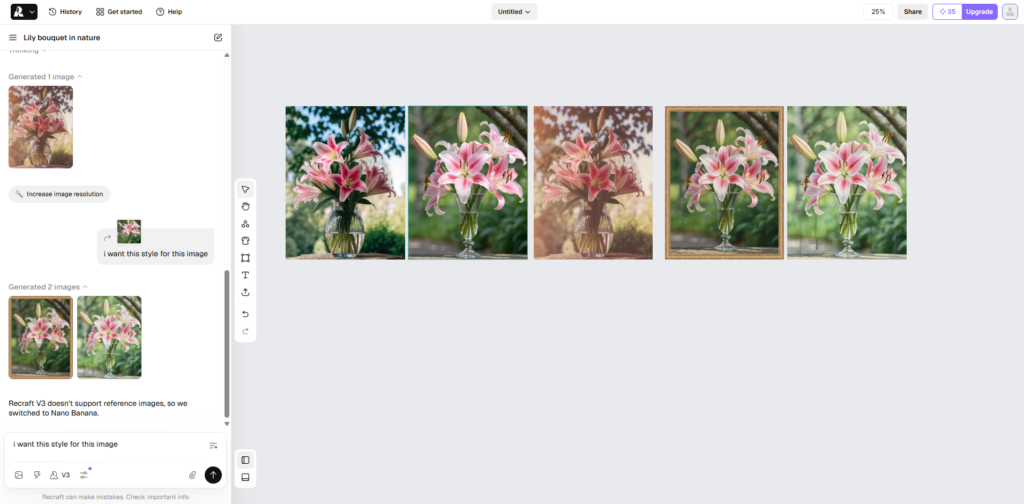
The dashboard feels like a hybrid between a design tool and an AI canvas. On the left side, there is a navigation panel for projects and assets. The center is the main workspace where generation happens, and the right panel changes depending on what you are editing or generating.
Key actions are immediately visible, especially the prompt input and style selection tools. You are not hunting for buttons, which makes the experience feel efficient.
The overall usability is strong. It feels more structured than typical AI image tools, which often throw everything into a single chat-like interface. Here, there is more intentional separation between creation and refinement.
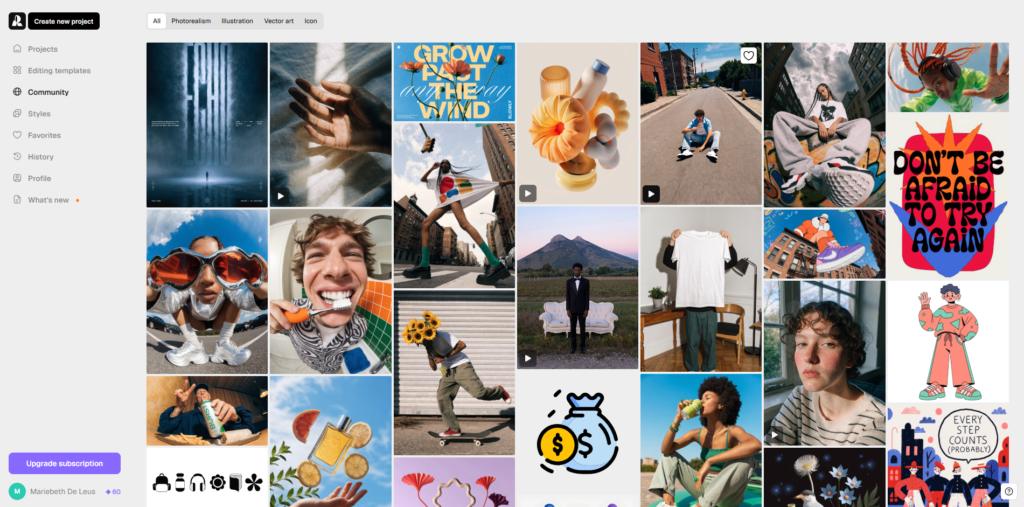
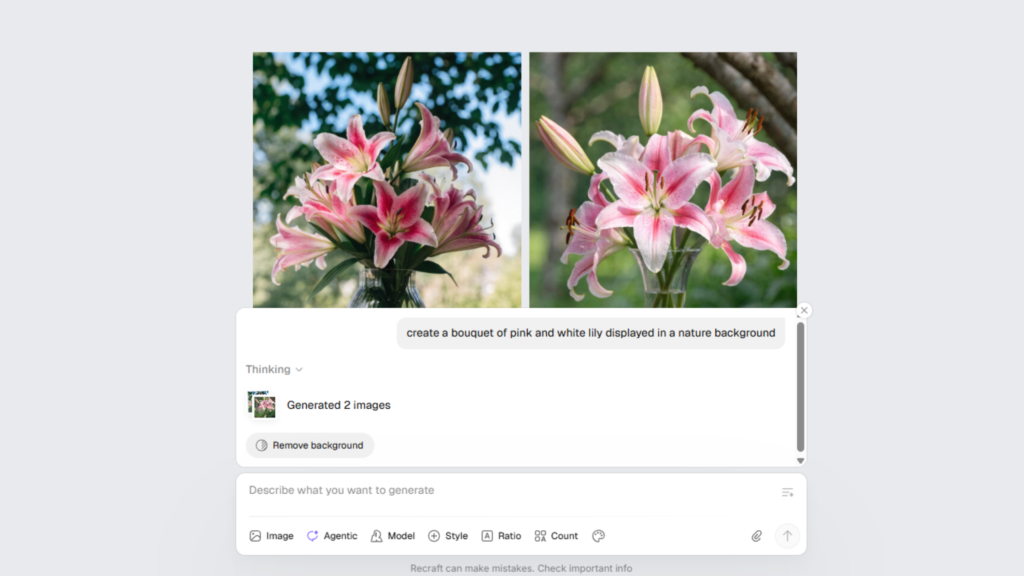
The first thing I tested was text-to-image generation. I typed a simple prompt and got results that were not just visually appealing but also stylistically consistent. The outputs felt closer to design assets than experimental AI art.
Next, I explored the vector-style generation. This is where Recraft starts to stand out. Instead of only raster images, it can produce cleaner, scalable graphics that look usable in real branding or UI work. The shapes and edges are noticeably more controlled compared to typical AI generators.
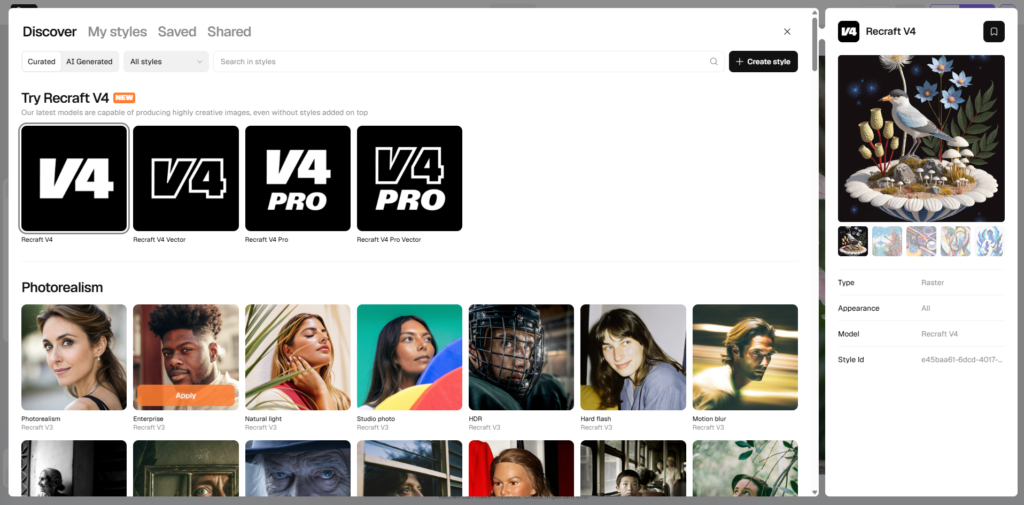
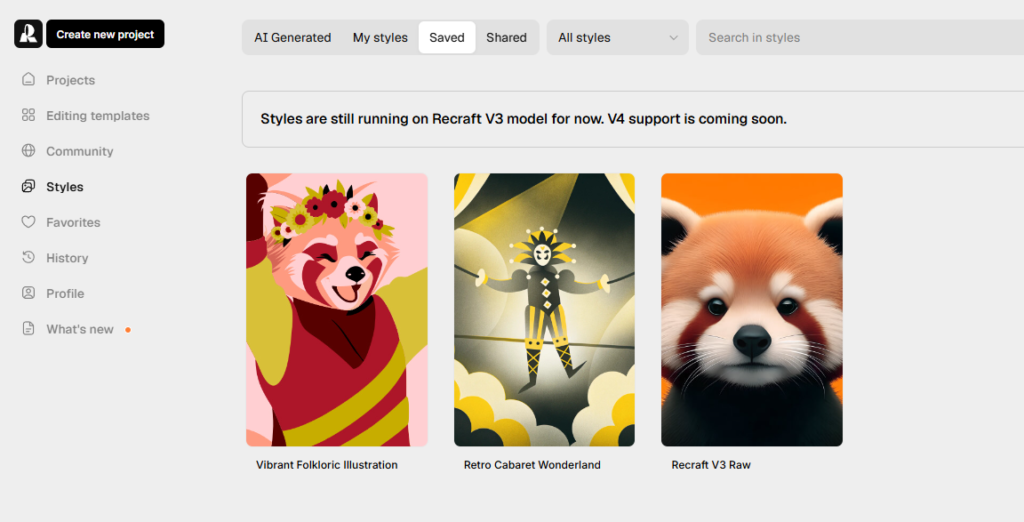
The third feature I focused on was style consistency. You can lock in a visual style and reuse it across multiple generations. This is particularly useful if you are building a set of brand assets or a cohesive visual identity. It reduces the usual problem of inconsistent AI outputs when generating multiple images.
One limitation I noticed is that while the tool is strong in structured design outputs, it still requires some experimentation to get precise results. Prompting matters a lot, and the difference between a usable output and a generic one can depend on small wording changes.
From a UX perspective, Recraft is clearly designed with structured creativity in mind. The layout system is not just a prompt box with results, it feels closer to a real design tool with modular components.
The interaction design choices lean heavily toward control and iteration. Instead of forcing users into a single generation flow, it encourages refining styles, regenerating variations, and adjusting outputs in a more deliberate way.
For designers, this reduces friction when trying to produce consistent visual systems. For developers or product builders, it feels like a tool that could realistically fit into a content generation pipeline rather than just being a standalone toy.
The frontend is likely built using a modern JavaScript framework such as React or Next.js, enabling interactive, canvas-like user experiences with dynamic rendering and responsive UI behavior. On the backend, the system appears to rely on a cloud-based rendering and generation pipeline designed to handle high-volume processing and scalable compute workloads.
It likely integrates AI APIs powered by diffusion-based image generation models (diffusion models) combined with proprietary style control systems to ensure consistent and customizable outputs. For hosting and delivery, the infrastructure is likely distributed across cloud services with CDN support, such as Cloudflare, to ensure fast asset rendering, low latency, and efficient global content delivery.
Recraft is positioned as a design-first AI company focused on bridging the gap between generative AI and professional design workflows. The product direction suggests a team that understands both AI generation models and real-world design needs, particularly in branding and scalable asset creation.
The overall mission seems centered on making AI-generated visuals more usable in real production environments rather than just experimental outputs.
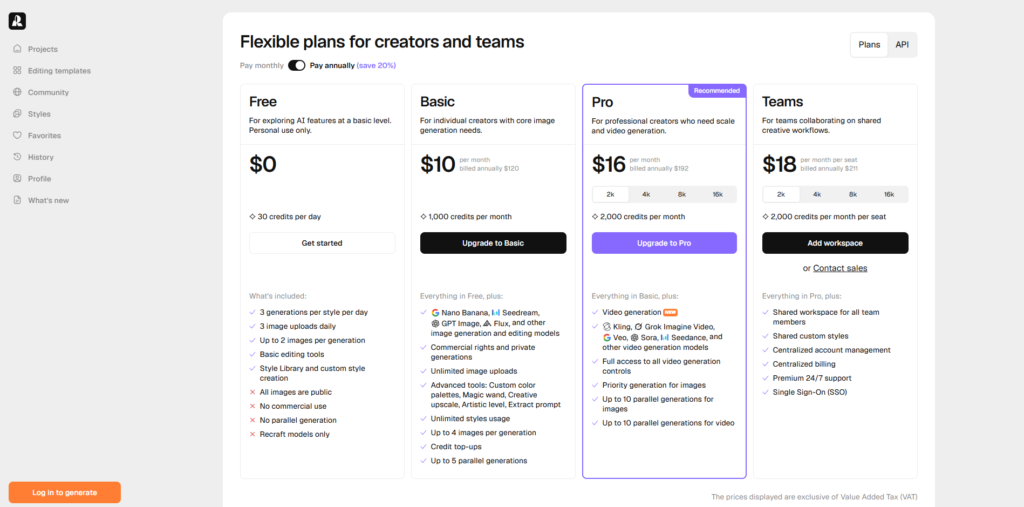
Inside the product, there are clear signals of a tiered or usage-based system. You encounter limitations around generation capacity and prompts to upgrade depending on usage intensity. This strongly suggests a freemium model where basic generation is accessible, but higher volume or advanced features are gated.
The monetization strategy appears to be product-led growth with usage-based scaling. The presence of feature gating and upgrade prompts suggests the platform is designed to convert active users who reach workflow limits rather than relying on upfront paid signups.
Recraft is best suited for designers, content creators, and marketing teams who need fast, structured visual output rather than random AI-generated images. It stands out because it pushes AI generation closer to a real design workflow, especially with its focus on vector-style assets and style consistency.
The strongest part of the product is its ability to create usable design outputs rather than just visually interesting results. The main limitation is that it still depends heavily on prompt quality and some trial and error.
Overall, it is worth trying if you want an AI tool that behaves more like a design system than a simple image generator.

The Technology newsletter is a weekly digest of tech reviews, columns and headlines from Media Editor Mariebeth De Leus and RoadMap Founder Hoofar Pourzand.
Write to Hoofar at hpourzand@tryroadmap.com or Follow him here.