


Turn your data into insight. Let's start with a 40-hour Tableau proof-of-concept for $2,500. Send your brief →

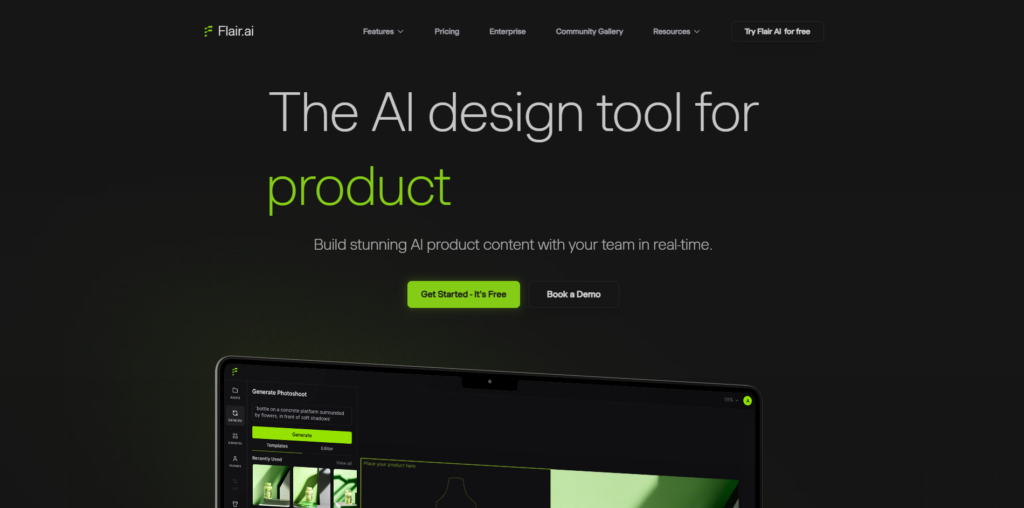
Flair AI is positioned as a generative design tool focused on creating product visuals using AI, especially for marketing, eCommerce, and brand content workflows. It feels like it sits between a traditional design editor and an AI image generation system, where the main goal is to let you stage, style, and generate product shots without needing a full production setup or studio photography.
From the moment I start interacting with it, the product clearly targets designers, marketers, and eCommerce operators who need fast, polished visuals without building everything manually in tools like Photoshop or Figma. The experience is centered around turning a simple product input into a fully composed marketing-ready scene.
The landing experience feels clean and heavily visual, with immediate emphasis on generated product imagery rather than long explanatory text. The value proposition is communicated through examples first, which reduces the need to interpret what the tool does.
What stands out immediately is that the product is not trying to explain itself through documentation style messaging. Instead, it shows outputs first, then supports them with minimal context. The design leans modern SaaS aesthetic, with a strong focus on visual proof of capability rather than feature lists.
You can explore Flair Ai here.
The signup flow is relatively lightweight and feels optimized for quick entry into the product. Email and Google login are the primary options, and the transition from account creation to workspace is fast enough that there is minimal friction.
Onboarding is mostly implicit rather than guided. Instead of a long tutorial, the system encourages you to immediately start generating or editing a product scene. Time to first value is short, which aligns with a product-led growth approach. There is a slight learning curve in understanding where to input assets and how generation parameters affect output, but it resolves quickly through interaction.

Once inside the dashboard, the layout is centered around a canvas-driven workflow. The interface prioritizes the active project area, with supporting controls placed around it rather than competing with it.
Navigation is minimal and functional. Most actions are contextual, meaning you interact with elements directly instead of moving through deep menus. The experience feels closer to a creative studio than a traditional SaaS dashboard.
What stands out is how quickly you are pushed into creating or editing a visual rather than configuring settings. This reduces cognitive overhead and keeps attention on output generation.
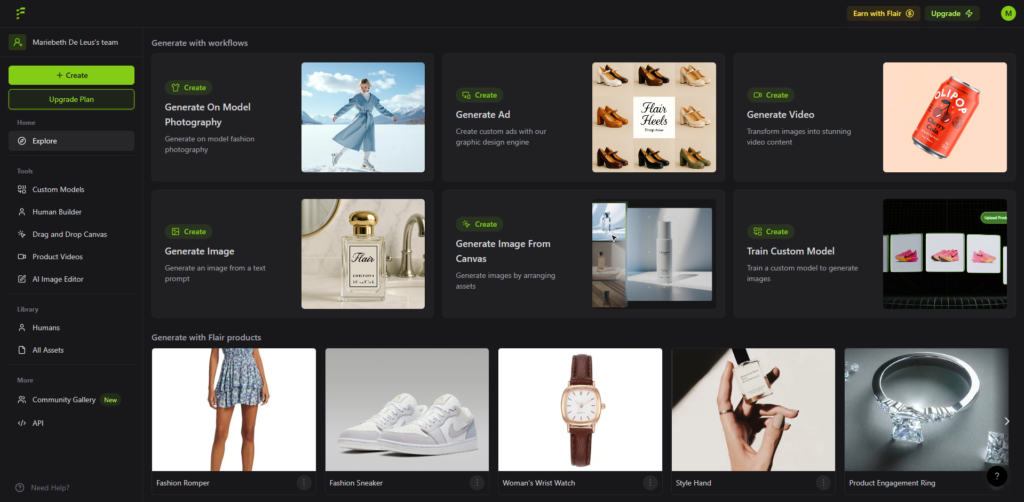
The core functionality revolves around generating product scenes and marketing visuals using AI driven composition tools.
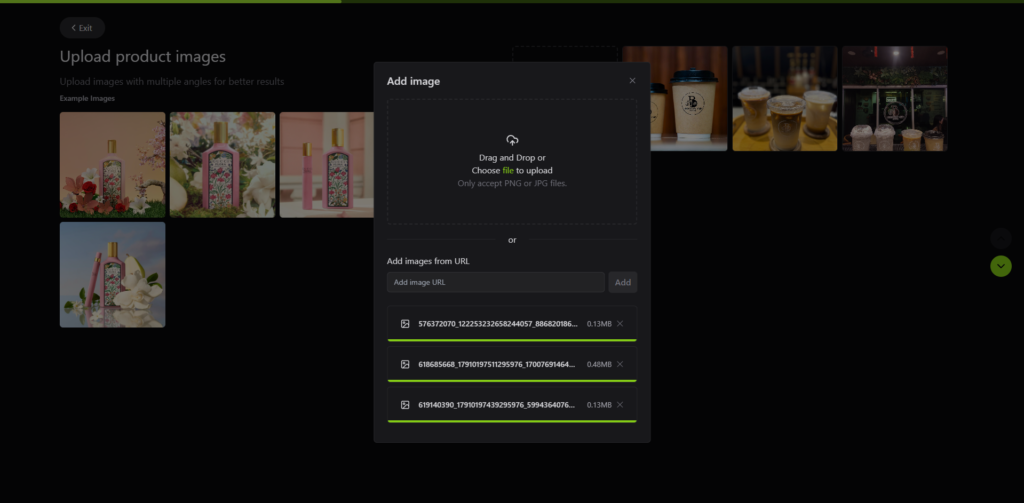
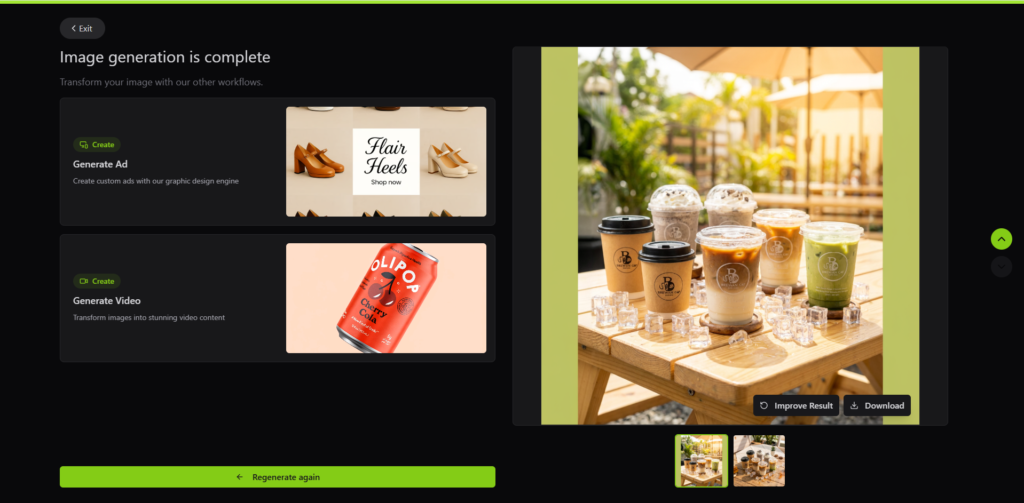
The first major feature is product scene generation. You upload or select a product asset, then the system allows you to place it into AI generated environments. The experience feels like building a photoshoot digitally, where backgrounds, lighting, and composition are dynamically produced rather than manually designed.
The second feature is scene customization. After generating a base output, you can adjust styling elements such as environment tone, background context, and visual mood. The control here is semi-abstract, meaning you are influencing outcomes rather than precisely editing pixels.
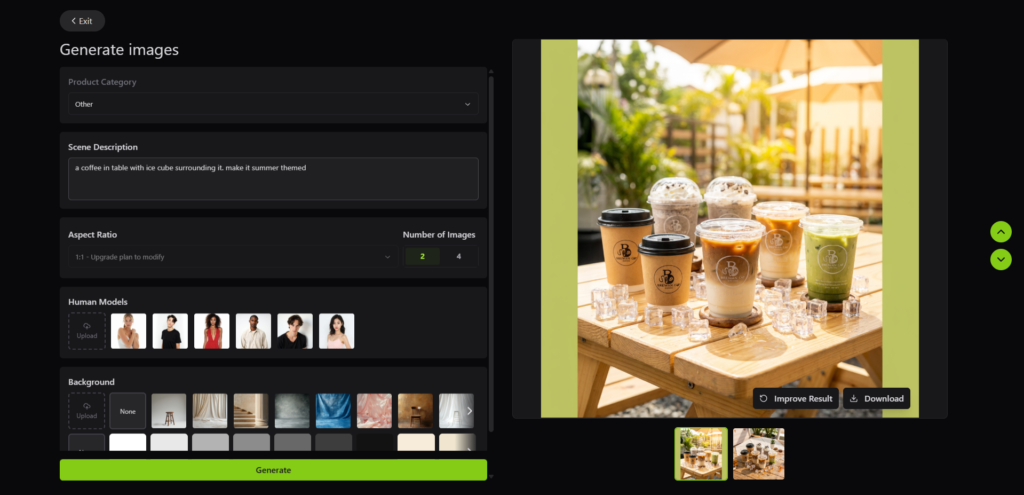
The third feature is iterative regeneration. Instead of locking a single output, the system encourages multiple variations, which makes it easy to explore different marketing directions quickly. This is particularly useful for testing ad creatives or product listing visuals.
In practice, the workflow feels fast, but it is also dependent on prompt clarity and initial asset quality. Outputs can vary significantly, which introduces both creative flexibility and unpredictability.
The UX follows a canvas-first design philosophy, where the main interaction model is spatial rather than form-based. This is consistent with modern AI creative tools that prioritize manipulation of visual objects over structured configuration panels.
Component structure is modular, with reusable scene elements and editable visual blocks. The interaction model is intuitive for designers familiar with tools like Figma or Canva, but it also abstracts enough complexity that non-designers can produce usable outputs.
From a product design perspective, the most notable UX decision is reducing explicit control density in favor of generative control. Instead of exposing every parameter, the system lets AI interpret intent, which simplifies the interface but reduces deterministic precision.
The frontend is likely built using a modern JavaScript framework such as React or Next.js, optimized for canvas rendering and real-time UI interaction. This setup enables smooth, responsive experiences where users can interact with visual elements in real time without performance degradation. On the backend, the system appears to rely on a cloud-based rendering infrastructure responsible for handling generation requests and processing assets at scale, ensuring efficient compute distribution for intensive workloads.
It likely integrates AI APIs powered by diffusion-based image generation models (diffusion models) that are fine-tuned specifically for product visualization and scene composition tasks. For hosting and delivery, the architecture is likely cloud-native, optimized for fast image delivery and iterative rendering workflows, potentially leveraging CDN services such as Cloudflare to maintain low latency and high availability across global users.
Flair AI is part of a broader wave of generative design tools focused on automating creative production workflows for marketing and eCommerce. The positioning suggests a team oriented toward bridging AI image generation with practical commercial use cases rather than purely experimental creative tooling.
The product direction strongly implies a focus on speed, scalability, and reducing dependence on traditional product photography pipelines.
Access to the product suggests a controlled or tiered access model where usage may be gated behind account level, trial access, or invitation based limits.
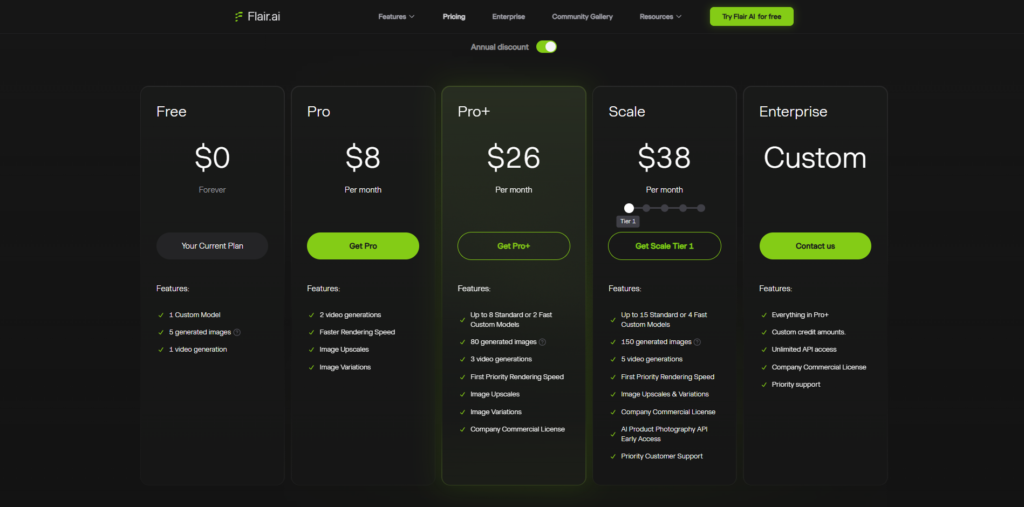
There are observable signals of a freemium or usage constrained model, particularly through generation limits and prompts that encourage upgrading for higher output capacity or advanced features.
The lack of explicit pricing visibility suggests a product strategy that is either optimizing for early user acquisition through onboarding first, or operating on an enterprise and creator hybrid model where pricing varies based on usage scale and commercial intent.
This kind of pricing opacity typically indicates a product that is still refining segmentation between individual creators, small teams, and enterprise customers, while prioritizing engagement before monetization clarity.
Flair AI feels like a focused generative design tool built specifically for product visual creation rather than general AI image generation. Its strength lies in how quickly it converts simple inputs into usable marketing assets, which makes it highly relevant for eCommerce workflows, content teams, and performance marketers.
It is best suited for users who need rapid visual iteration without investing in full design production pipelines. The biggest advantage is speed and creative exploration, while the main limitation is control precision and output consistency depending on input quality.
Compared to traditional design tools, it removes a significant amount of manual work, but in exchange, it introduces AI variability that users need to manage through iteration.

The Technology newsletter is a weekly digest of tech reviews, columns and headlines from Media Editor Mariebeth De Leus and RoadMap Founder Hoofar Pourzand.
Write to Hoofar at hpourzand@tryroadmap.com or Follow him here.