

Turn your data into insight. Let's start with a 40-hour Tableau proof-of-concept for $2,500. Send your brief →
I open Pika expecting a typical AI video tool, but it immediately presents itself more like a creative playground than a utility dashboard. The focus is clearly on turning text and images into short, stylized videos using generative AI, with a strong emphasis on speed and visual experimentation.
What stands out right away is that this is not aimed at traditional video editors. It feels built for creators, designers, marketers, and anyone experimenting with AI-driven storytelling. The core promise is simple: describe what you want to see, and the system generates a moving visual scene that feels closer to animation or cinematic snippets than conventional video editing output.
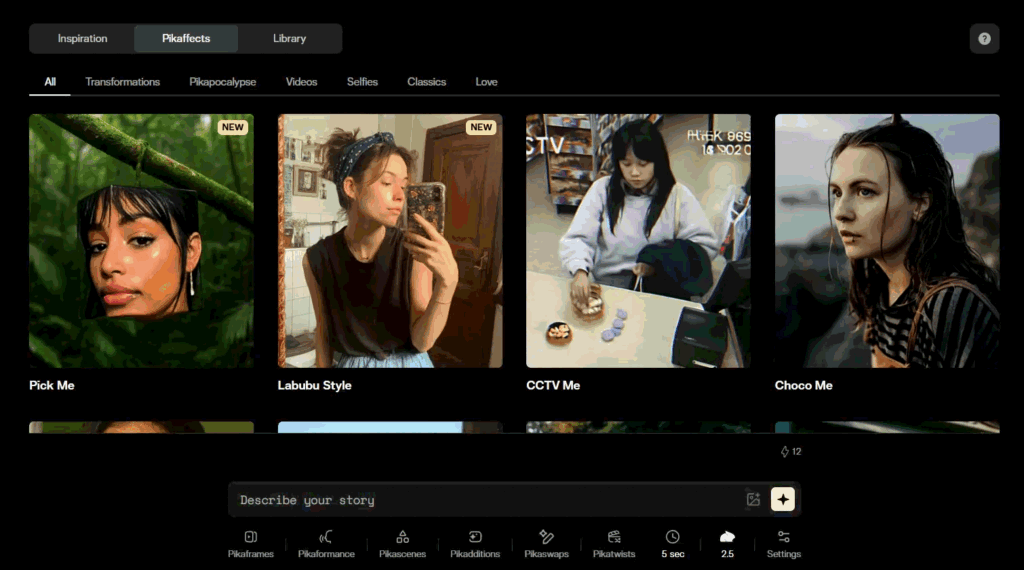
On first load, the interface is clean, dark-themed, and heavily visual. The landing page immediately showcases looping AI-generated clips, which effectively communicates capability without needing much explanation.
The value proposition is clear within seconds. It is essentially “type an idea, get a video.” There is very little cognitive load required to understand what the product does, which is important for a generative tool where users may not yet know what is possible.
Design-wise, it feels modern and slightly experimental. There is a strong focus on motion, previews, and prompt-driven creation. Nothing feels cluttered, and the hierarchy guides attention directly toward the prompt box and example generations.
You can explore Pika Art here.
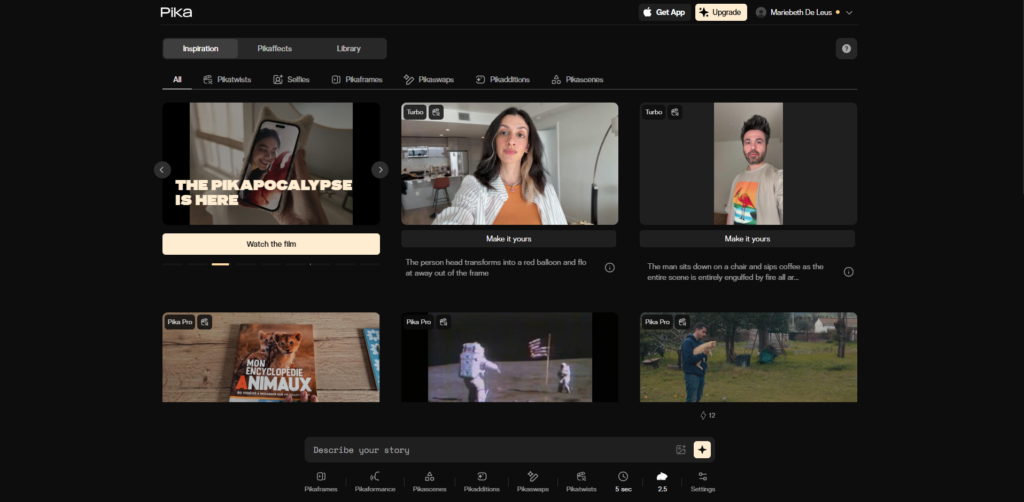
Signing up is lightweight. I can proceed using a Google account, which removes friction entirely. There is no long onboarding questionnaire or setup wizard, which makes sense for a product that relies on immediate creative experimentation.
After login, I am dropped almost directly into the creation interface. There is a subtle guidance layer that suggests what to try first, usually sample prompts or remixable ideas.
The time to first value is extremely short. Within a minute or two, I can already generate my first clip, which is important for retention in AI creative tools. There is no confusion in the flow, but the lack of explanation about advanced controls may leave new users learning through trial and error.
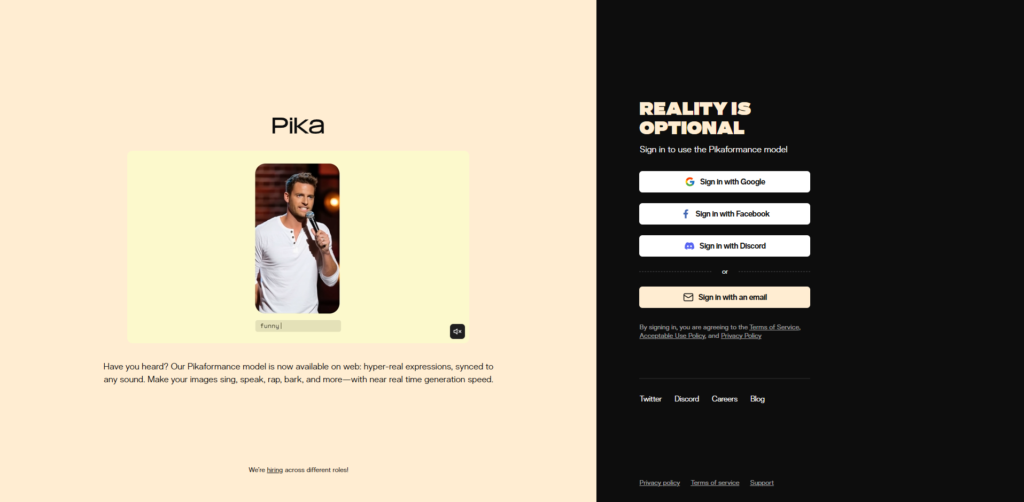
The main interface centers around a prompt bar and a generation workspace. Everything is oriented around creating or iterating on video outputs rather than managing projects in a traditional timeline-based editor.
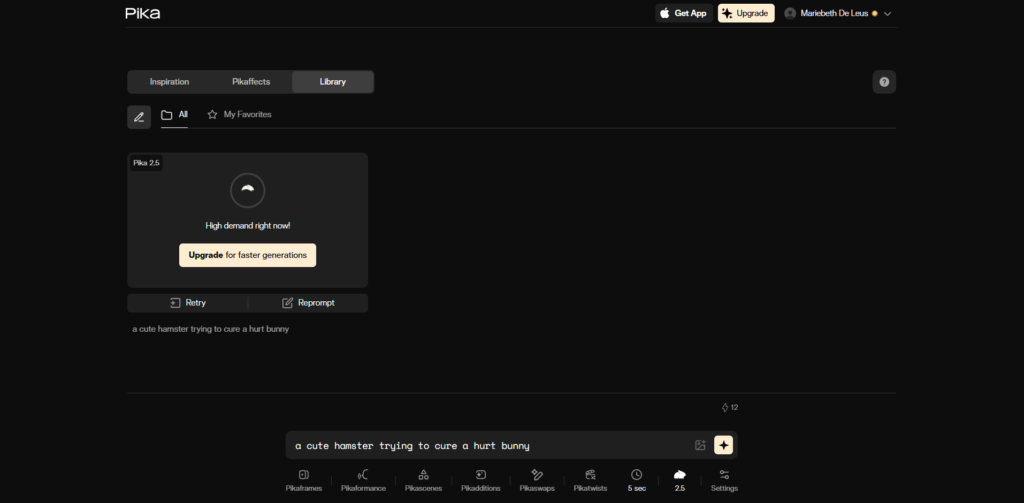
Navigation is minimal. The primary actions are generating a new video, browsing past generations, and iterating on prompts. This reduces complexity and keeps focus on creation rather than configuration.
Using it feels closer to interacting with an AI chat tool that outputs video instead of text. Each prompt becomes a creative iteration cycle.
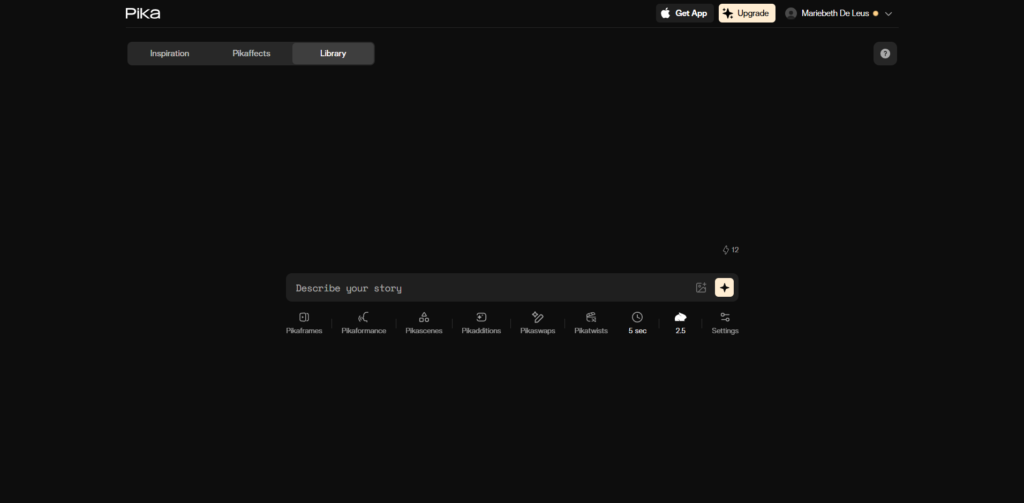
The primary feature is text-to-video generation. I enter a descriptive prompt, something like a cinematic street scene at night with neon reflections, and within moments, I receive a short animated clip. The result is not photorealistic in a strict sense, but it is visually coherent and stylistically consistent.
Another feature is image-to-video transformation. Uploading a still image and animating it introduces motion into otherwise static visuals. This is especially useful for concept art, character shots, or stylized illustrations that need subtle movement like camera pans or environmental animation.
The third major workflow is prompt iteration. Instead of starting from scratch each time, I can refine a previous generation by adjusting wording or style cues. This makes the tool feel iterative rather than one-off.
What stands out in practice is that results vary in quality depending on prompt clarity. Highly descriptive prompts produce more stable outputs, while vague ones can lead to unpredictable motion or scene distortion. There is also a noticeable bias toward cinematic and stylized aesthetics rather than realistic video replication.
From a UX perspective, the product is heavily optimized for exploration rather than control. There is no traditional timeline, no layer system, and no manual keyframing. This is a deliberate abstraction of complexity.
The design pattern is prompt-centric interaction. Everything revolves around input and output cycles. This is consistent with modern generative AI interfaces where the “interface” is language itself.
Interaction design favors immediacy. Feedback loops are short, and results are shown quickly. This encourages experimentation but limits precision control, which may frustrate advanced motion designers.
For product designers, the key insight here is that the interface prioritizes creativity acceleration over editing precision. It is closer to a generative IDE for video than a traditional editor.
The platform appears to use a modern, performance-focused architecture. The frontend is likely built with React and enhanced with WebGL or canvas-based rendering to handle real-time previews efficiently. On the backend, it seems to rely on distributed GPU infrastructure to support video generation workloads at scale.
Its AI layer is likely powered by proprietary diffusion-based models designed specifically for video generation. For delivery and performance, it appears to use cloud-based GPU systems combined with CDN distribution to efficiently serve rendered video outputs.
Pika Labs is the team behind this product, focused on building generative video tools that lower the barrier to content creation. The positioning suggests a strong research-driven foundation, likely emerging from advances in diffusion models and multimodal AI systems.
Their mission appears centered around making video creation as simple as typing an idea, which aligns with the product’s minimal interface and prompt-first design philosophy.
Pricing is not publicly listed in a fully transparent breakdown on the interface. Instead, the product exhibits clear freemium and usage-limited signals.
There are observable constraints such as generation limits, queue behavior during high demand, and potential gating on higher quality or faster rendering modes. These patterns strongly suggest a tiered usage-based model where free users get limited generations and paid tiers unlock higher capacity, faster processing, or enhanced video quality.
The lack of explicit pricing transparency suggests a product strategy that is still heavily growth-focused and experimentation-driven. This is typical for AI-native tools in early scaling phases where usage data and infrastructure costs are still being balanced. It also indicates a likely shift toward usage-based monetization tied to compute intensity rather than flat subscription tiers.

After spending time with Pika, the strongest impression is that it is designed for rapid creative exploration rather than professional-grade video production. It excels at turning abstract ideas into visual motion quickly, which makes it especially useful for ideation, concept visualization, and social content experimentation.
It is best suited for creators, marketers, and designers who want to prototype video ideas without entering complex editing software. It is less suitable for users who need frame-accurate control or production-level editing pipelines.
What stands out most is the speed of the creative loop. The ability to go from idea to animated output in seconds changes how you think about video creation itself.
Limitations show up in control granularity and consistency, but these are expected trade-offs for a generative-first system.

The Technology newsletter is a weekly digest of tech reviews, columns and headlines from Media Editor Mariebeth De Leus and RoadMap Founder Hoofar Pourzand.
Write to Hoofar at hpourzand@tryroadmap.com or Follow him here.