

Turn your data into insight. Let's start with a 40-hour Tableau proof-of-concept for $2,500. Send your brief →

I spent time using Jenni AI as a writing assistant to see how it actually behaves inside a real workflow instead of just reading about it. Jenni AI is positioned as an AI writing and research assistant built for essays, blog writing, academic work, and content drafting. It feels aimed at students, researchers, and writers who want structured writing help without fully outsourcing the thinking process.
What makes it interesting is that it does not behave like a generic chatbot. It feels more like a writing workspace where AI suggestions are embedded directly into your document. From the first interaction, the focus is clearly on helping you produce long-form writing faster while still keeping control over structure and citations.

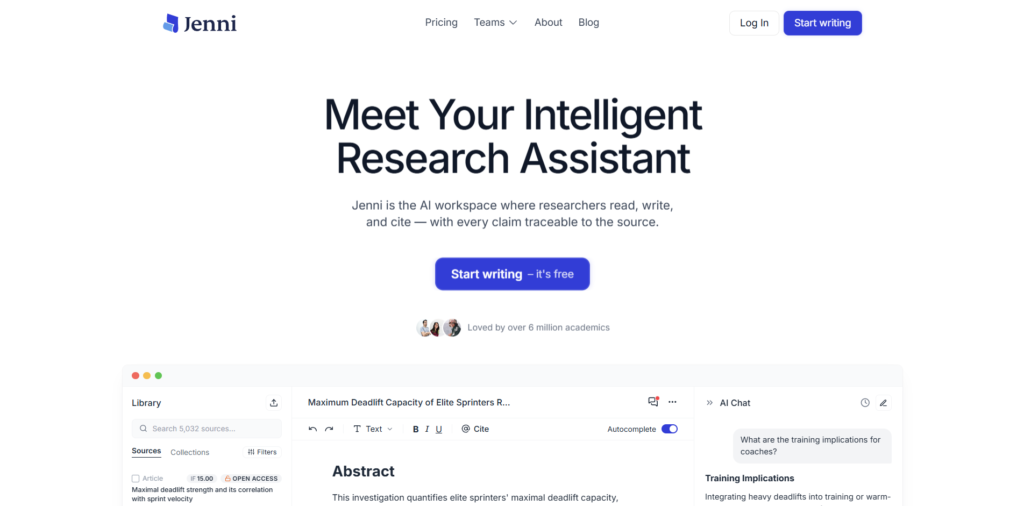
When I first opened Jenni AI, the landing page immediately leaned into academic and productivity-focused messaging. The value proposition is quite direct: write faster, research better, and generate content with AI assistance built into the editor itself.
The design feels clean and minimal, with a strong emphasis on typography and examples of writing output rather than flashy UI elements. It does not try to overwhelm you with features upfront. Instead, it shows you what the output looks like, which makes it easy to understand what you are signing up for.
A strong first impression moment was how quickly it positions itself as a writing tool rather than just an AI chat interface. You do not feel like you are entering a chatbot. You feel like you are entering a document editor that happens to have AI inside it.
You can explore Jenni Ai here.
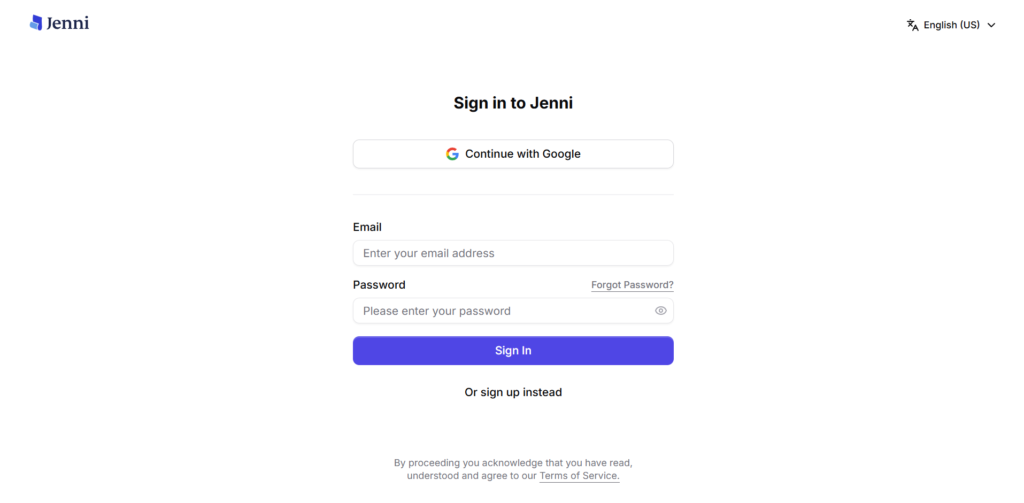
The signup process is fast and straightforward. I was able to get in within a minute using a standard email login option. Google sign-in is also available, which reduces friction even further.
Once inside, onboarding is very light. There is no long tutorial sequence or forced walkthrough. Instead, you are quickly dropped into the writing interface with a prompt to start a document.
The time to first value is very short. Within the first session, you can immediately start typing and see AI suggestions appear as you write. That instant feedback loop is the main onboarding experience rather than a guided tour.
There were no confusing steps, but the lack of explanation might feel slightly minimal for users who have never used an AI-assisted editor before.
The main interface is centered around a document editor. It feels closer to Notion or Google Docs, but with AI integrated directly into the writing flow.
The layout is simple: a central writing canvas, a sidebar for tools and document navigation, and contextual AI actions that appear as you write. There is no clutter, and the focus stays on the text itself.
Key actions are available directly in-line while typing, which makes the experience feel fluid. Instead of switching tabs or opening separate chat windows, the AI suggestions appear as part of the writing process.
From a usability perspective, it feels intuitive even on first use. The interface does not require learning complex commands or workflows.
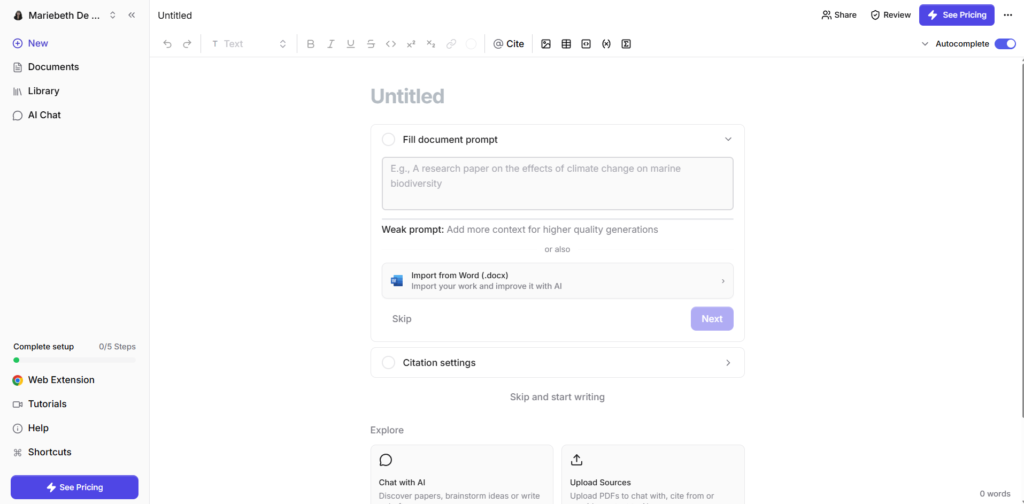
One of the core features is AI autocomplete while writing. As I started typing a paragraph, Jenni AI began suggesting sentence completions and expansions. It feels similar to predictive writing, but more context-aware and paragraph-driven rather than word-level suggestions.
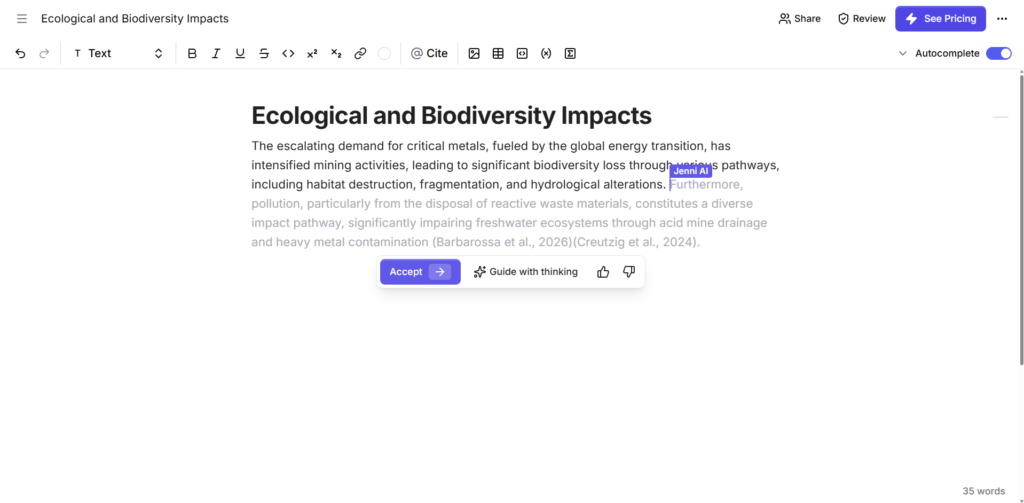
Another major feature is AI chat assistance inside the document. You can highlight text and ask the AI to rewrite, expand, or simplify it. This makes editing feel much faster compared to manually revising sections.
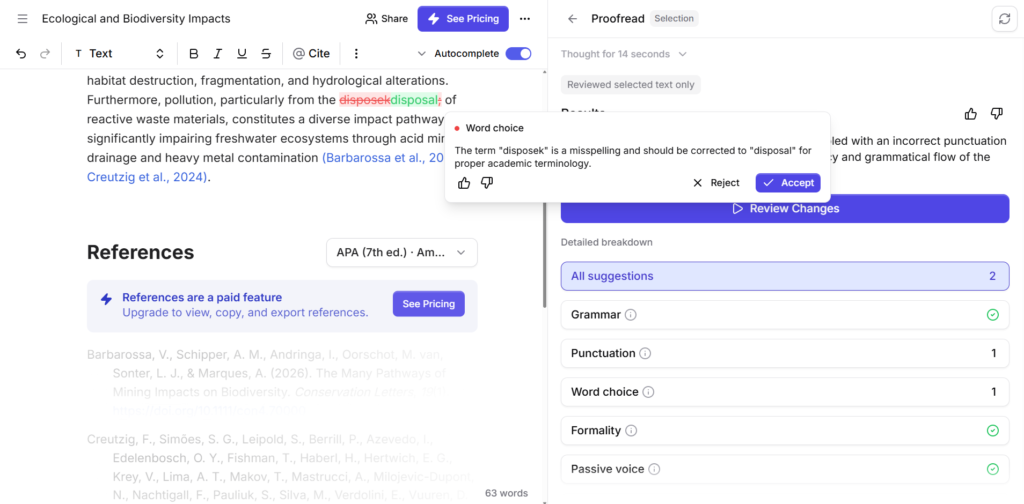
A third key feature is citation and research support. When writing academic-style content, Jenni AI can help generate citations and integrate references into your text. This is where it clearly differentiates itself from general AI writing tools.
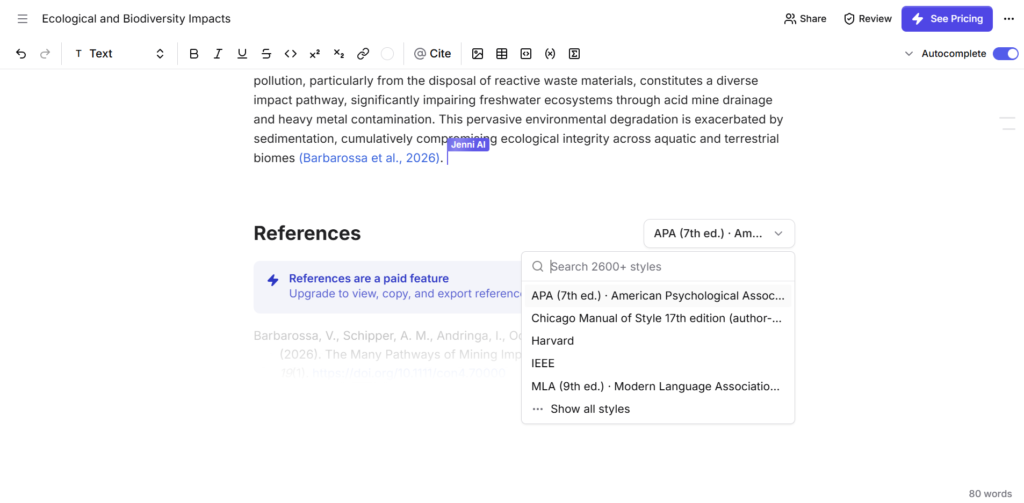
The workflow feels like this in practice: you start writing a paragraph, you accept or reject AI suggestions as they appear, then you refine sections using inline editing tools. It creates a loop where writing and editing happen simultaneously instead of being separate stages.
A limitation I noticed is that heavy reliance on suggestions can sometimes interrupt your own writing rhythm if you are not intentional about ignoring prompts. It works best when you treat it as a collaborator rather than an autopilot system.
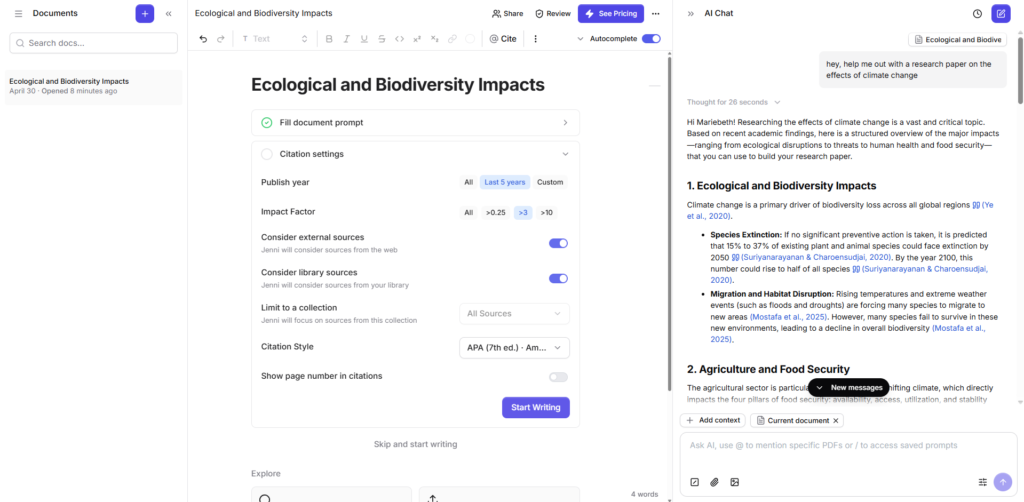
From a UX perspective, Jenni AI is built around embedded assistance rather than separate interaction layers. Instead of switching between chat and editor, everything is context-aware and inline.
The design pattern is similar to modern AI-native editors where the document is the primary interface and AI is a layer on top of text selection and cursor position.
Component-wise, it relies heavily on contextual menus, inline prompts, and dynamic suggestion rendering. These are subtle but powerful interaction choices because they reduce cognitive load.
One interesting UX decision is that the AI does not dominate the interface. It only appears when relevant, which keeps the writing space clean and focused.
For developers or product designers, the most notable takeaway is how tightly integrated AI actions are with text selection events and cursor state rather than being treated as a separate chat system.
The frontend is likely built using a React-based editor system that supports rich text handling and real-time updates, allowing users to interact with and modify content dynamically. The backend appears to follow a cloud-based API architecture responsible for processing AI requests as well as managing document storage efficiently.
AI functionality is likely powered through large language model integrations, which handle tasks such as writing assistance, content rewriting, and citation generation. For scalability and reliable document synchronization, the system is probably deployed on standard cloud infrastructure such as AWS or similar providers.
This is an inferred breakdown based on product behavior and UI responsiveness rather than confirmed technical documentation.
Jenni AI is built by a startup focused on improving academic and long-form writing workflows using artificial intelligence. The product positioning suggests a strong emphasis on education, research productivity, and content creation efficiency.
The mission appears centered on reducing friction in writing while still keeping users engaged in the thinking process rather than fully replacing it. The direction clearly aligns with productivity tools that enhance, rather than automate, intellectual work.
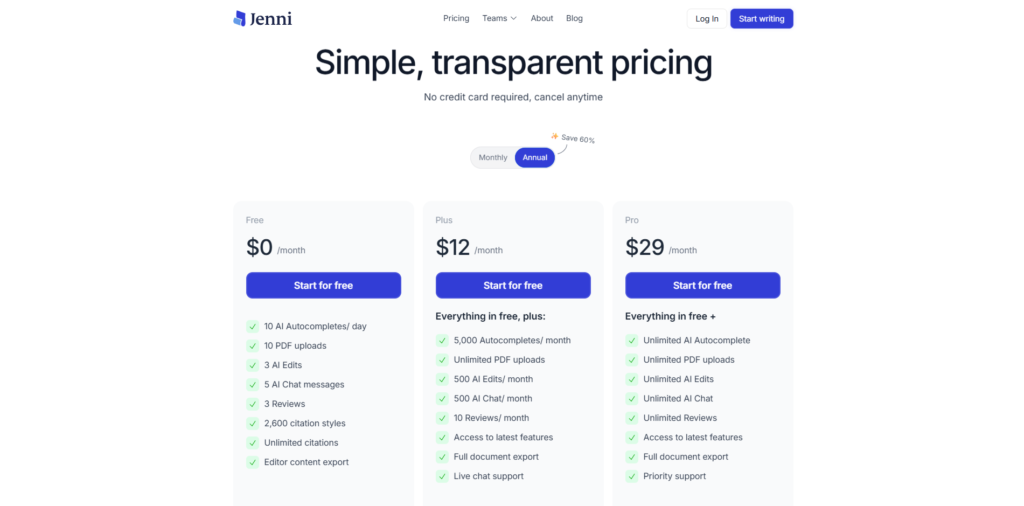
Pricing is not fully transparent on the surface in terms of a detailed breakdown before interaction, but the product clearly operates on a freemium subscription model.
From what is observable, there is a free entry experience with limited usage, followed by tiered paid plans that unlock higher usage limits and advanced writing features such as expanded AI assistance and citation capabilities. There also appears to be a stronger push toward upgrading once you reach usage limits.
Insert screenshot here showing pricing page or upgrade prompt inside the app
The pricing strategy suggests a product-led growth approach where users are first brought into the writing experience and then gradually exposed to limitations that encourage upgrading. This is typical for AI writing tools were compute cost scales with usage.
The lack of upfront complexity in pricing also signals that the product is optimized for onboarding first, monetization second, which is common in early-stage or growth-focused SaaS products.
Jenni AI feels most valuable for users who write long-form content regularly and want structured assistance without leaving their writing environment. It works especially well for academic writing, research-based content, and drafting-heavy workflows.
Its biggest strength is the tight integration of AI into the writing process itself rather than separating it into a chat tool. This makes it feel more like a writing system than a chatbot.
The main limitation is that it requires a bit of discipline to avoid over-relying on suggestions, especially during creative writing.
Overall, it is worth trying if your workflow involves essays, research writing, or content drafting where speed and structure matter.

The Technology newsletter is a weekly digest of tech reviews, columns and headlines from Media Editor Mariebeth De Leus and RoadMap Founder Hoofar Pourzand.
Write to Hoofar at hpourzand@tryroadmap.com or Follow him here.