


Turn your data into insight. Let's start with a 40-hour Tableau proof-of-concept for $2,500. Send your brief →

I opened Vizcom expecting another AI image generator, but it quickly became clear this is aimed at a very specific audience: product designers, industrial designers, and anyone working between sketching and final visualization.
The core idea is simple. You sketch something, and Vizcom turns it into a polished render or even a 3D model in seconds. It sits in that interesting space between ideation and production, where speed matters but visual clarity matters just as much. It is not trying to replace design tools like CAD or illustration software. It is trying to accelerate the early and mid-stages of design thinking.
What makes it interesting is that it feels less like a “text-to-image AI” and more like a “design translator.” It understands rough intent, not just prompts.

The landing page immediately communicates what the tool does without needing much explanation. The phrase “make it real” and the sketch-to-render concept is front and center.
What stood out first is how visually driven everything is. Instead of abstract AI messaging, you are shown actual transformations from rough sketches to highly detailed renders. That instantly makes the product understandable even before reading anything.
The design itself feels clean, minimal, and very “design studio” oriented. It does not feel like a typical SaaS dashboard. It feels closer to a creative workspace.
The value proposition is clear within seconds. If you can sketch, you can visualize at a professional rendering level almost instantly.
You can explore Vizcom here.
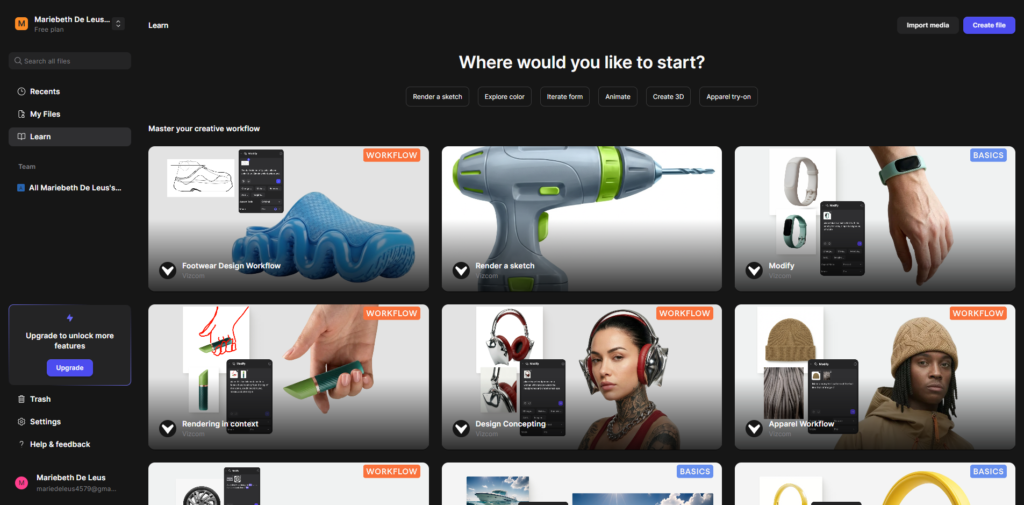
Signing up is straightforward and fairly low friction. Email-based signup is the default, and there are clear options to try the product quickly without heavy setup.
What I noticed is that Vizcom does not force a long onboarding tutorial. Instead, it leans into “learn by doing.” You are pushed toward uploading or sketching something immediately.
That choice makes sense for this type of product. The fastest way to understand it is to see your own sketch transformed in real time. There is very little handholding, but also very little confusion once you start interacting with the canvas.
The time to first value is extremely short. Within minutes, you are already generating results.

Once inside, the interface feels like a hybrid between a drawing app and a generative AI tool. The central concept is the canvas. Everything revolves around it. On it, you can sketch, import images, or refine existing ideas. Around it, you get tools for rendering, prompting, and iterating.
Navigation is relatively intuitive if you have used design tools before. It does not overwhelm you with menus, but it also does not hide complexity. Instead, it reveals tools as you need them.
The key interaction pattern is iterative. You sketch, render, adjust, then re-render. It feels less like generating a final image and more like collaborating with an assistant that understands visual intent.
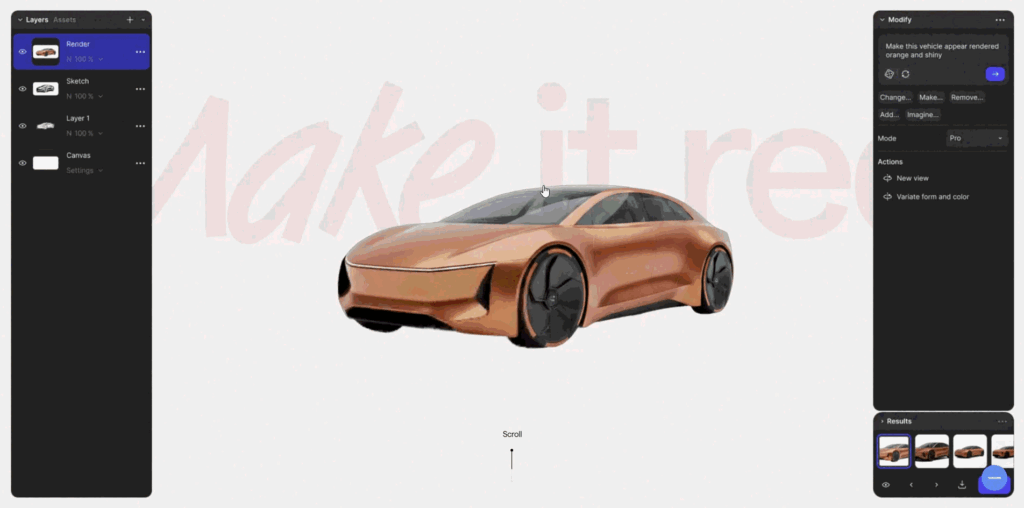
This is the core experience. I draw or upload a rough sketch, and Vizcom converts it into a detailed render with lighting, materials, and depth.
What stands out is how well it preserves structure. Unlike generic AI image tools, it does not completely reinterpret the design. It enhances what is already there.
The limitation is that it sometimes over-stylizes details depending on the selected palette, which can slightly drift from the original intent.
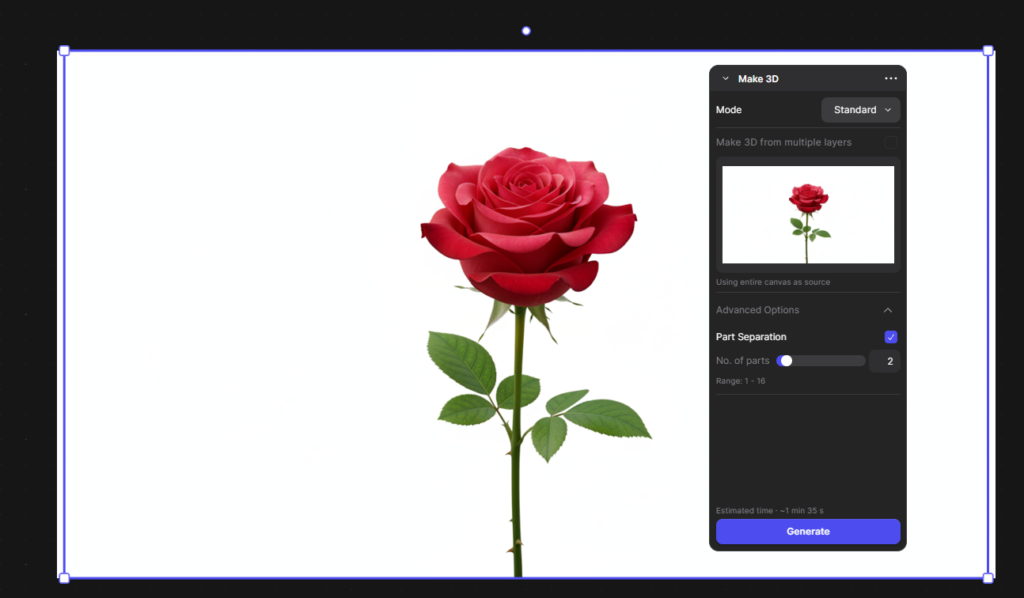
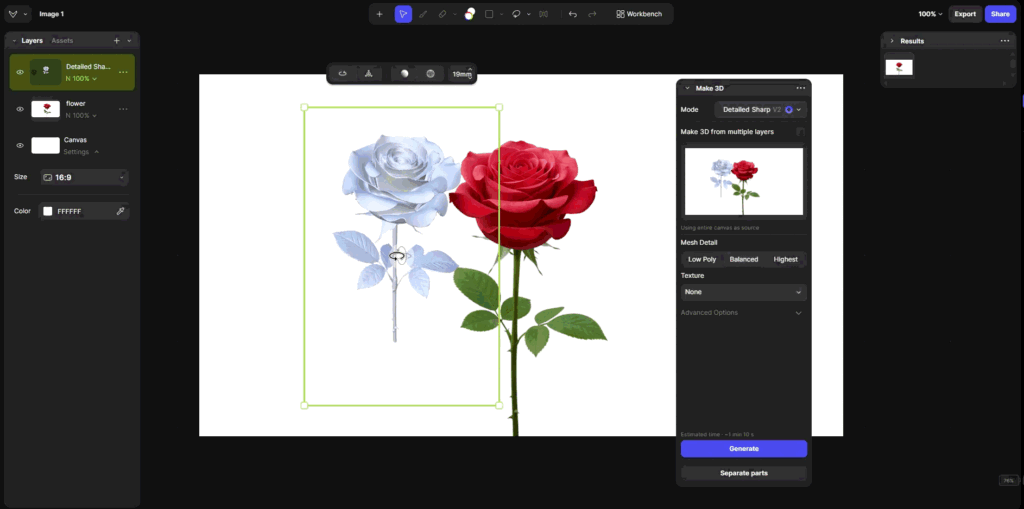
One of the more interesting features is turning renders into 3D models. This adds a dimensional layer to what would normally stay flat.
I can rotate, inspect, and export models for further use in CAD workflows or visualization pipelines. This is where Vizcom moves beyond image generation into actual design tooling.
It is not a replacement for professional 3D modeling software, but it is extremely useful for early-stage concept exploration.
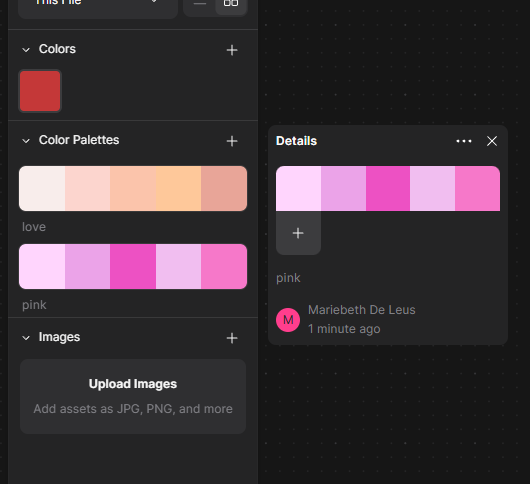
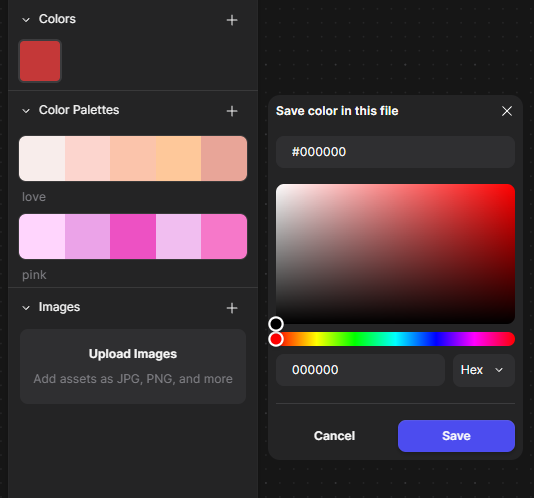
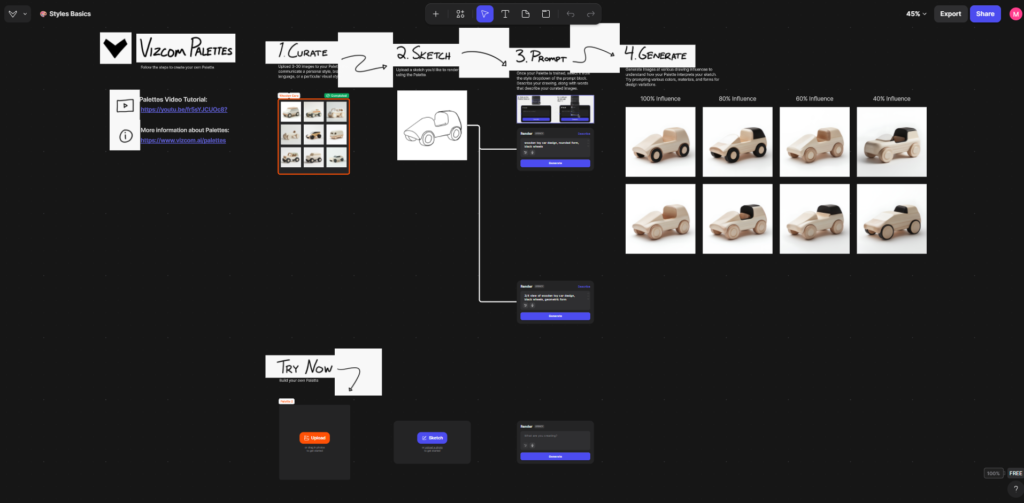
Another key feature is “Palettes,” which act like style presets for rendering.
Instead of writing complex prompts, you can apply a visual style that influences materials, lighting, and rendering tone. This gives consistency across designs, especially useful for teams.
The tradeoff is control versus speed. Palettes are fast and effective, but fine-tuning is still somewhat limited compared to manual rendering workflows.
User Experience for Designers & Developers
From a UX perspective, Vizcom is clearly built around a design-first mindset.
The infinite canvas approach mirrors tools like Figma or traditional sketchbooks. This lowers cognitive friction because designers are already familiar with spatial thinking.
The interaction model is highly iterative. Instead of “generate and download,” it is “generate, adjust, refine.” That shift is important because it reframes AI as part of the workflow rather than an end-point tool.
For developers or technical users, the API and export options suggest a pipeline-friendly architecture. The ability to move from sketch to 3D formats like OBJ or STL makes it useful in prototyping environments.
The main UX limitation is that beginners without design background may not fully understand how to guide outputs effectively. It assumes a baseline understanding of form, proportion, and visual direction.
The frontend is likely built using a modern React-based canvas system, heavily optimized with WebGL or similar rendering technologies to support high-performance visual interactions and real-time graphics manipulation. On the backend, the system appears to rely on a cloud rendering infrastructure designed for AI-driven image and 3D generation workloads, enabling scalable compute-intensive processing across distributed environments.
It likely integrates proprietary AI APIs built on diffusion-based models (diffusion models) that are specifically fine-tuned for design sketches and industrial-grade rendering outputs. For hosting and content delivery, the architecture is likely cloud-native, optimized for real-time rendering workflows using scalable infrastructure and CDN networks such as Amazon CloudFront to ensure low-latency asset delivery and high availability.
Vizcom was built by designers and engineers focused on industrial design workflows. The positioning is very intentional. This is not a general-purpose AI tool. It is built for people who think in sketches, materials, and physical products.
The product philosophy, based on documentation and positioning, is that AI should amplify design intent rather than replace it. That shows up clearly in how the tool behaves, especially in its emphasis on iteration rather than automation.
There is a free tier available for qualified users, particularly students and educators, which is positioned through the Vizcom EDU program. Beyond that, there are structured plans such as Starter, Professional, and Enterprise, with increasing limits on renders, speed, and collaboration features.
What is notable is the presence of usage limits and tiered feature access. This strongly suggests a hybrid pricing model combining subscription access with usage-based scaling for heavier workflows.
The lack of fully public pricing details indicates a product strategy that leans toward professional and enterprise adoption rather than mass consumer usage. It also suggests flexibility in pricing for teams depending on scale and usage intensity.

After using Vizcom, the strongest impression is speed-to-visualization. It dramatically reduces the gap between idea and realistic render, which is valuable in early design stages.
It is best suited for industrial designers, product teams, automotive designers, and creative professionals who already think visually in sketches.
It is worth trying if your workflow involves concept ideation or rapid prototyping of physical products. It is less useful if you are looking for open-ended creative image generation or purely aesthetic outputs.
The biggest strength is how tightly it integrates sketching with rendering and 3D generation in one flow. The main limitation is that it still depends heavily on user design intent. It amplifies skill rather than replacing it.