

Turn your data into insight. Let's start with a 40-hour Tableau proof-of-concept for $2,500. Send your brief →

When I first came across Lindy AI, it positioned itself as a personal AI assistant that can automate tasks, handle workflows, and act almost like a digital employee. Naturally, I was curious since tools like this often promise a lot, but the real question is how well they actually execute.
Using Lindy AI for the first time felt like stepping into a productivity hub where automation meets conversational AI. It’s clearly designed for founders, operators, and teams who want to offload repetitive work like scheduling, email handling, research, and integrations without building complex systems themselves.
Landing on the Lindy AI website, the first thing that stood out was how clear and focused the messaging is. It immediately communicates that Lindy is an “AI assistant that actually does the work for you,” which sets expectations right away.
The design feels modern and minimal with lots of whitespace, clean typography, and subtle animations. It doesn’t overwhelm you with technical jargon, which is a smart move considering the complexity of what it offers.
One thing I appreciated is how quickly you understand the value proposition. This isn’t just another chatbot. It’s an automation layer powered by AI.
You can explore Lindy AI here.
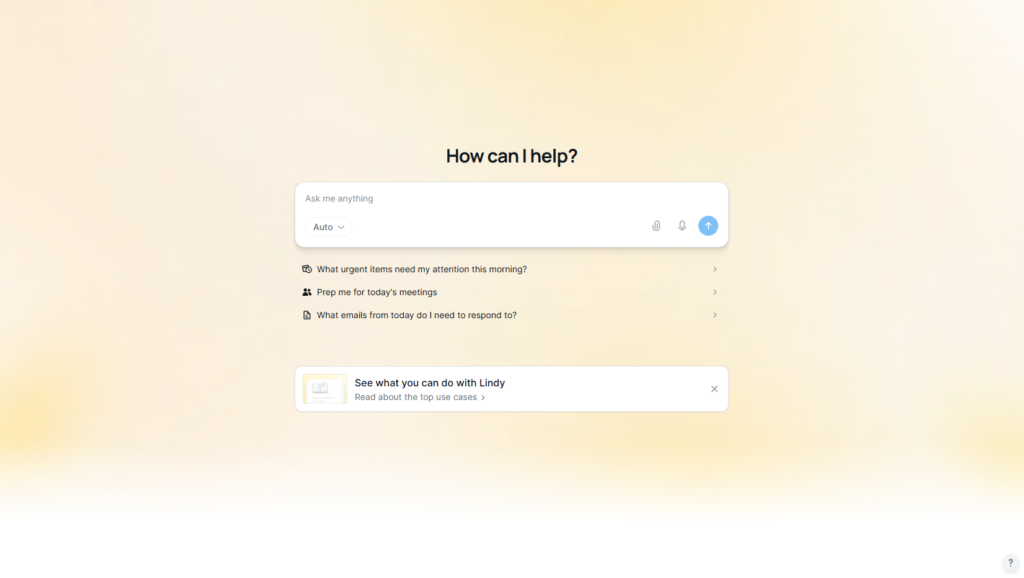
Signing up was straightforward. I had the option to use email or Google login, which made the process quick The signup process is straightforward. I used a standard email login and was inside the platform within a minute. There were no unnecessary steps or configuration delays.
The onboarding flow is where the product starts to differentiate itself. Instead of leaving me in a blank workspace, it immediately introduced example assistants and suggested workflows that I could activate.
As I moved through onboarding, the system focused less on explaining features and more on demonstrating use cases. It felt like being shown what the system can already do rather than being taught how to use it manually. This significantly reduces friction for first-time users.


Inside the dashboard, the structure revolves around managing AI assistants rather than navigating traditional software menus. Each assistant represents a delegated function such as email handling, scheduling, or research.
When I interacted with the interface, it felt less like configuring software and more like assigning responsibilities. Instead of building workflows through rigid logic trees, the system encourages natural language instructions.
Navigation is intentionally minimal. The focus remains on what each assistant does rather than how to configure every step manually. This creates a more conversational interaction model where actions feel delegated rather than programmed.
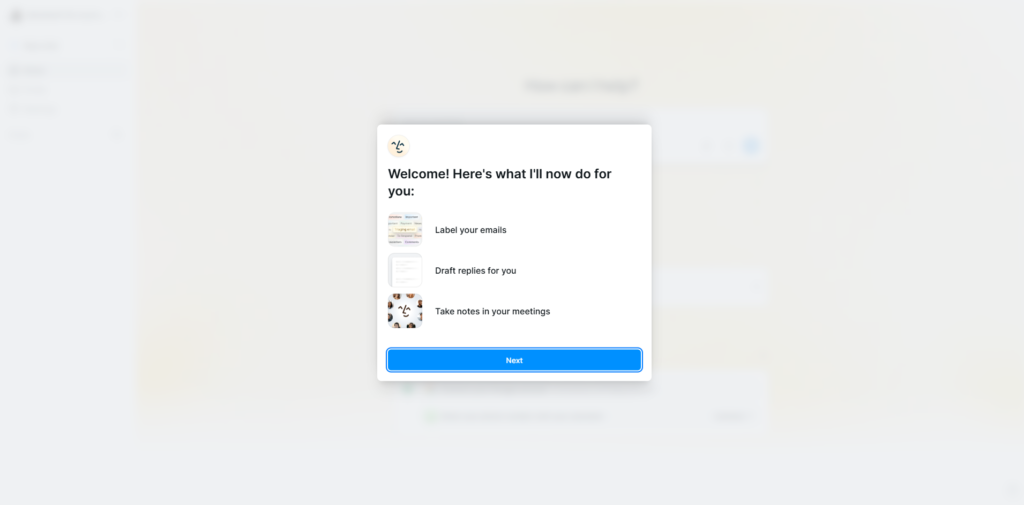
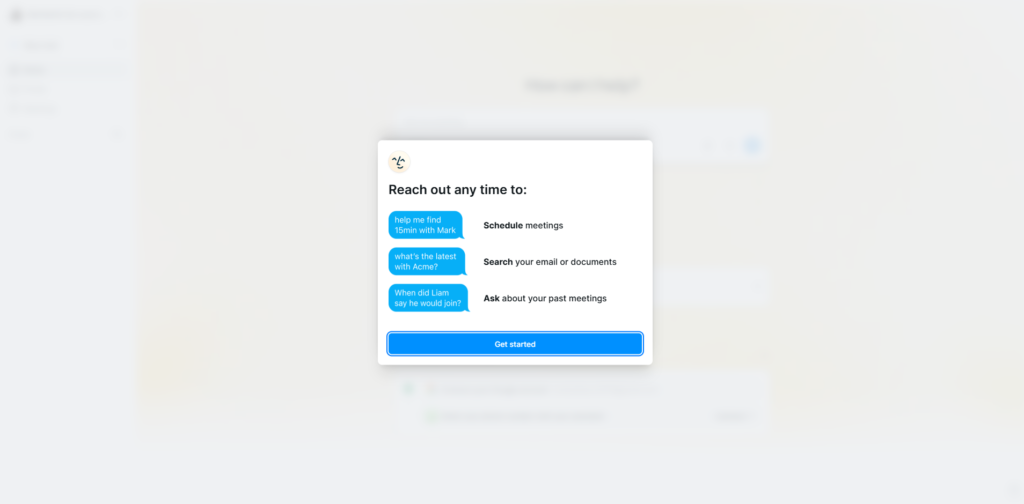
The first feature I explored was AI assistants, referred to as “Lindies.” Each one can be configured to perform a specific role. When I set one up, the process felt like writing instructions for a human assistant rather than configuring automation rules.
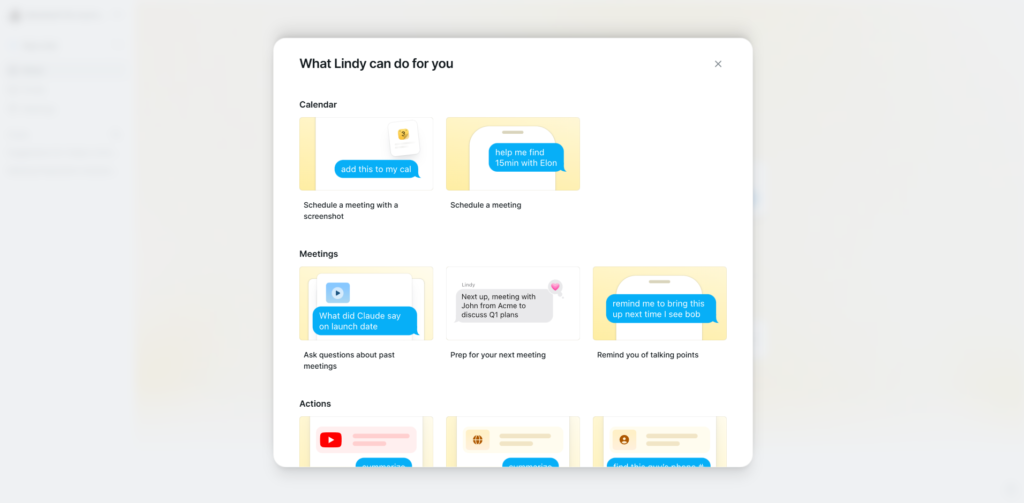
The second capability is workflow automation across tools. I connected typical productivity apps like email and calendar to observe how tasks are handled. What stood out is how the system reduces the need for manual coordination. Actions are executed across tools without requiring constant input.
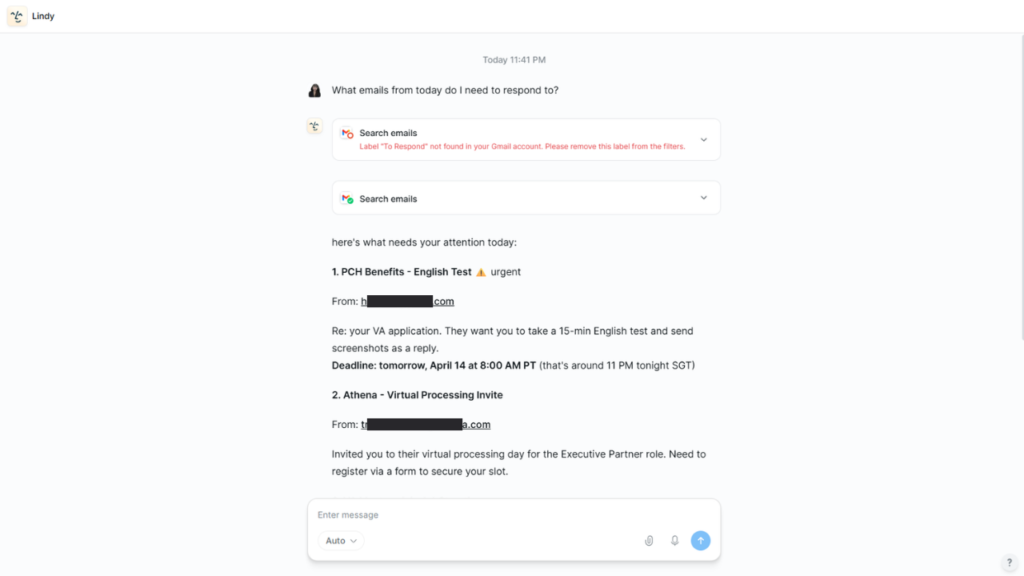
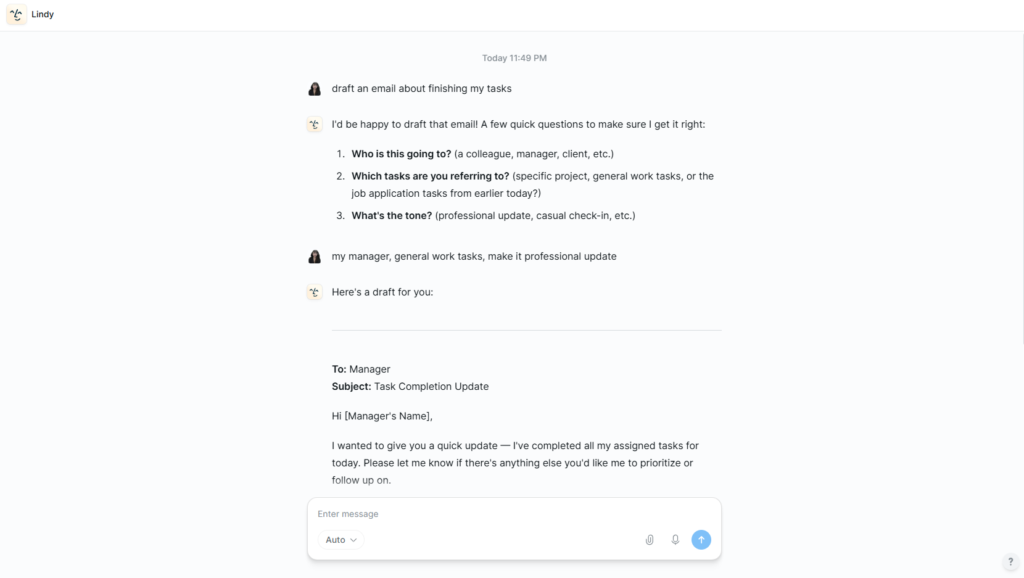
The third capability is direct task execution. Instead of suggesting actions, Lindy performs them. I observed it drafting emails, organizing scheduling tasks, and gathering information based on prompts. This shifts the product from advisory AI to execution-focused automation.
From a UX perspective, Lindy AI is built around progressive simplification. Complexity is hidden until it becomes necessary, which keeps the interface approachable even when the underlying system is powerful.
The interaction model is heavily conversational. Instead of form-based configuration, users express intent in natural language and the system translates that into structured automation.
For designers, this is a strong example of reducing interface dependency in favor of intent-driven interaction. For developers, it demonstrates how orchestration layers can abstract complex multi-tool automation into a single interaction surface. The product effectively blends conversational UI with backend workflow execution.
The frontend is likely built using React or Next.js to support fast, dynamic interfaces.
The backend likely runs on Node.js or serverless infrastructure to handle automation workflows and integrations.
AI functionality is powered by large language models similar to those provided by OpenAI, enabling task understanding and execution planning.
Infrastructure is likely deployed on scalable cloud platforms such as Amazon Web Services or comparable providers to support real-time workflow execution and integration reliability.
Lindy AI is developed by a product-focused team building toward the concept of an AI employee rather than a traditional chatbot.
The positioning suggests a strong focus on operational automation rather than conversational AI. Instead of optimizing for dialogue, the product is optimized for execution. This reflects a broader shift in the AI space toward systems that perform tasks rather than simply generate responses.
Lindy AI uses a tiered subscription model designed around usage and automation capacity. Entry-level plans provide access to core assistant functionality with limited automation volume, while higher tiers expand workflow limits, integrations, and execution capacity.
The structure typically scales based on the number of assistants, workflows, and tasks executed. This aligns pricing directly with how much operational value the system delivers.
Enterprise plans introduce custom pricing, higher execution limits, and advanced integration capabilities for teams.
This pricing model strongly reflects a product-led growth strategy. The goal is to onboard users quickly through simple access, then expand monetization as workflow dependency increases. It also signals that Lindy is positioning itself as infrastructure for automation rather than a fixed-feature SaaS tool.

Using Lindy AI feels like moving from using software to delegating work. The key difference is that you are no longer interacting with tools directly. You are assigning tasks and letting the system execute them.
It is best suited for founders, operators, and teams managing repetitive workflows across multiple tools. The strongest value comes from reducing coordination overhead and replacing manual task execution with automated assistants.
The main tradeoff is trust and dependency. Giving an AI system control over real workflows requires confidence in its execution accuracy. However, for users who adopt it fully, the productivity gains are significant.
Overall, Lindy AI represents a shift from AI as an assistant to AI as an operator embedded in daily workflows.

The Technology newsletter is a weekly digest of tech reviews, columns and headlines from Media Editor Mariebeth De Leus and RoadMap Founder Hoofar Pourzand.
Write to Hoofar at hpourzand@tryroadmap.com or Follow him here.