


Turn your data into insight. Let's start with a 40-hour Tableau proof-of-concept for $2,500. Send your brief →

As I opened Hume AI expecting another developer-heavy AI tool, but what I found felt different almost immediately. Hume focuses on emotional intelligence in AI, particularly voice interfaces that can understand and respond to human emotion in real time. That positioning alone makes it stand out in a space crowded with generic LLM wrappers.
As I started exploring, it became clear this isn’t just for engineers building voice apps. It’s also aimed at product teams, designers, and researchers who care about human-centered AI experiences. The promise is simple but ambitious: make AI feel more human, not just smarter.

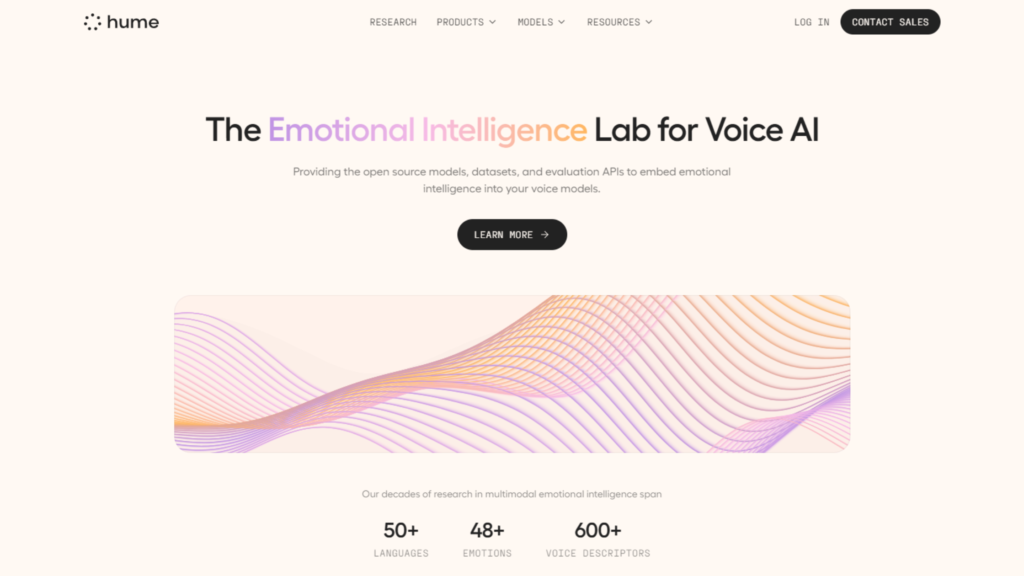
The landing page immediately leans into emotion as the differentiator. Instead of technical jargon, I’m seeing language around empathy, expression, and human connection. That’s a strong signal about their positioning.
The value proposition is surprisingly clear. It’s about building AI that understands tone, not just words. There are interactive demos right away, which is a smart move. I don’t have to imagine the product. I can hear and feel it.
Design-wise, it feels modern and intentionally minimal. Lots of whitespace, smooth transitions, and a clear hierarchy. It doesn’t overwhelm me with options. It nudges me toward trying something.
You can explore Hume AI here.
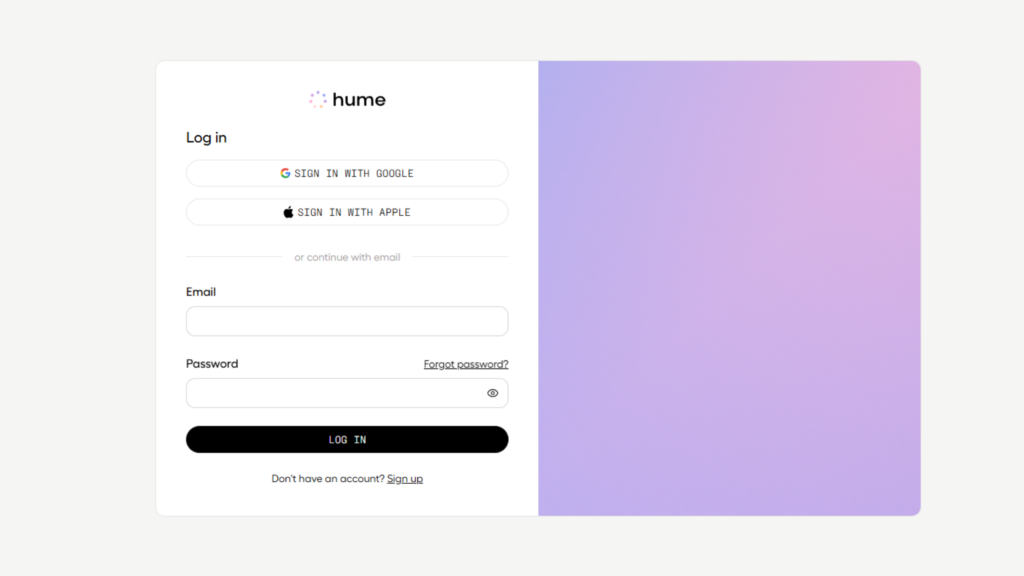
I go through signup and it’s relatively frictionless. Email-based signup works quickly, and I notice developer-friendly options like API access are clearly available.
There’s no heavy onboarding tutorial forcing me through steps. Instead, I’m dropped into an environment where I can start interacting almost immediately. That reduces time to value, which is critical for tools like this.
What stands out is how quickly I can test the core capability. Within minutes, I’m already interacting with voice outputs. There’s very little confusion, though I do notice that some deeper features aren’t immediately explained. It assumes a bit of curiosity from the user.
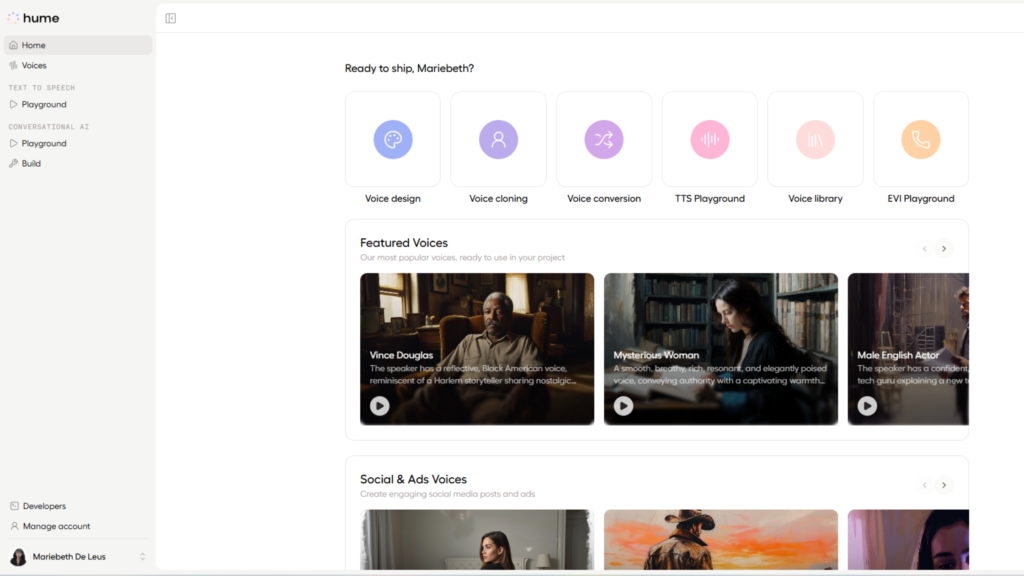
Once inside, the interface feels clean but slightly more technical. The layout is structured around experimentation rather than rigid workflows.
Navigation is straightforward. I can access voice tools, API configurations, and testing environments without digging too deep. The hierarchy makes sense, especially for a product that blends AI research with practical implementation.
What I notice right away is that the interface is built for interaction. It’s not just a dashboard full of stats. It’s a workspace where I can actively test inputs and outputs.
It takes a few minutes to fully understand where everything lives, but once I do, it feels efficient rather than overwhelming.
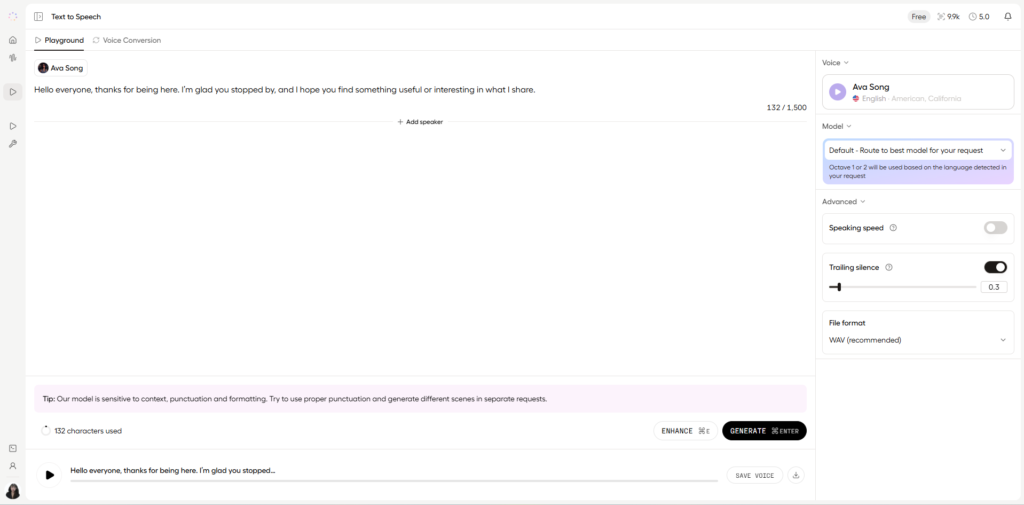
I start by testing voice outputs, and this is where Hume immediately differentiates itself. The voices aren’t just reading text. They carry emotional tone.
When I input text, I can hear variations in delivery that reflect mood. It’s subtle but noticeable. This isn’t robotic speech. It feels closer to human expression.
One limitation I notice is that fine-tuning emotional nuance isn’t always obvious from the UI. It’s powerful, but it could use clearer controls for beginners.
As I interact more, I see how the system processes and reacts in real time. There’s a feedback loop where input isn’t just processed linguistically but emotionally.
This opens up interesting use cases like conversational agents that adapt tone dynamically. It feels especially relevant for customer support, therapy tools, or gaming.
The workflow is smooth, though I can tell this is still a product that benefits from experimentation rather than rigid use cases.
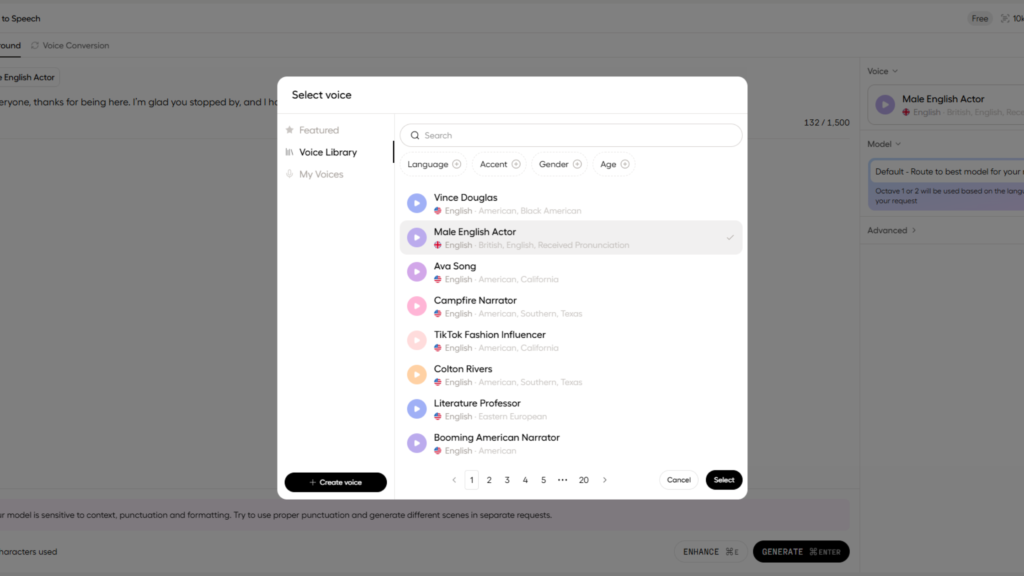
From a UX standpoint, the product is interesting because it blends experimental AI tooling with a relatively polished interface.
The layout follows a modular system. Panels are clearly separated, and interactions are focused around testing and iteration rather than static configuration.
The design patterns feel intentional. Inputs on one side, outputs on another, with immediate feedback loops. This supports rapid prototyping, which is exactly what AI builders need.
One notable UX choice is the emphasis on interaction over instruction. Instead of guiding me step by step, it encourages exploration. That’s powerful for advanced users but could be slightly disorienting for beginners.
For designers, the biggest insight is how emotion becomes a UI variable. This isn’t just about buttons and flows anymore. It’s about tone, response, and human perception.
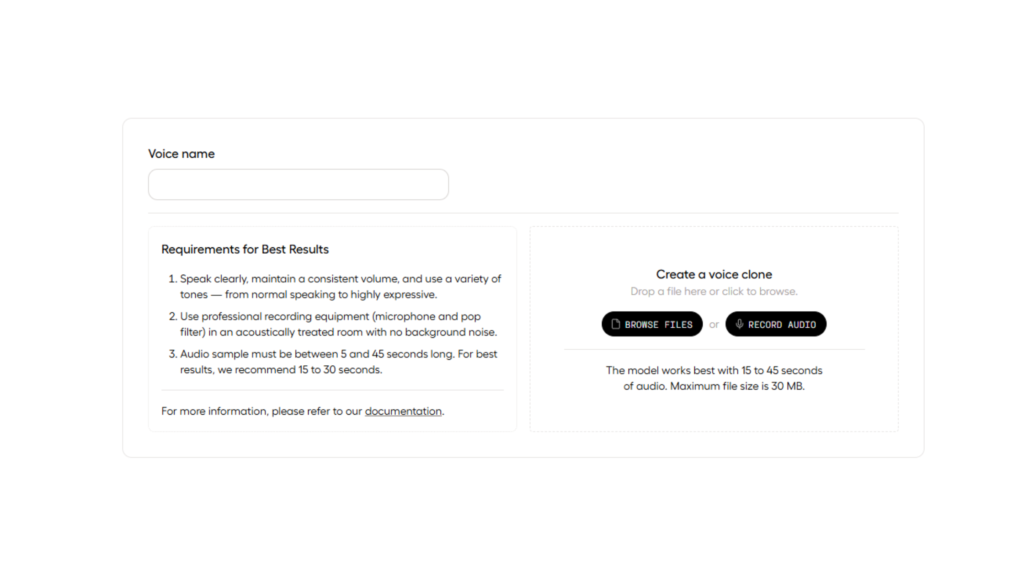
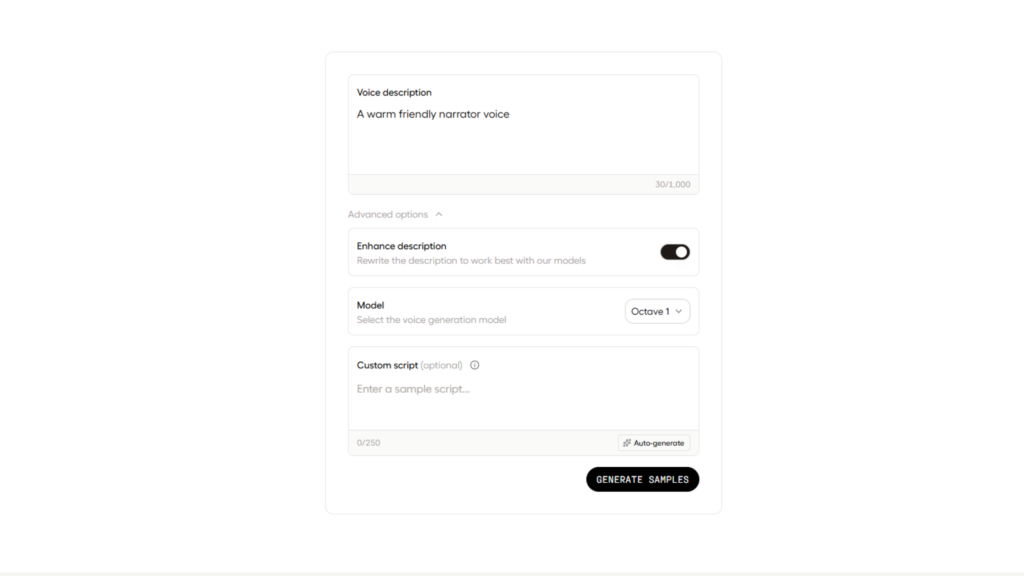
The product appears to be built on a modern React-based frontend or a similar framework, designed to support a highly responsive and component-driven user experience.
On the backend, it relies on a scalable cloud infrastructure capable of handling real-time processing, ensuring the system can manage compute-heavy tasks without lag or disruption.
At its core, the platform integrates AI and APIs, combining proprietary emotion AI models with speech synthesis and analysis to power its key features.
For delivery and performance, it uses cloud hosting supported by a CDN, optimized specifically for low-latency interactions so the experience remains smooth and immediate across use cases.
Hume AI is built around the idea of aligning AI with human well-being. The developers positions itself at the intersection of AI research and emotional intelligence.
Their mission appears to focus on making AI systems more aligned with human values, particularly emotional understanding. That’s a strong differentiator compared to purely performance-driven AI companies.
This positioning suggests a long-term vision beyond just tooling. It feels closer to a research-driven product company.
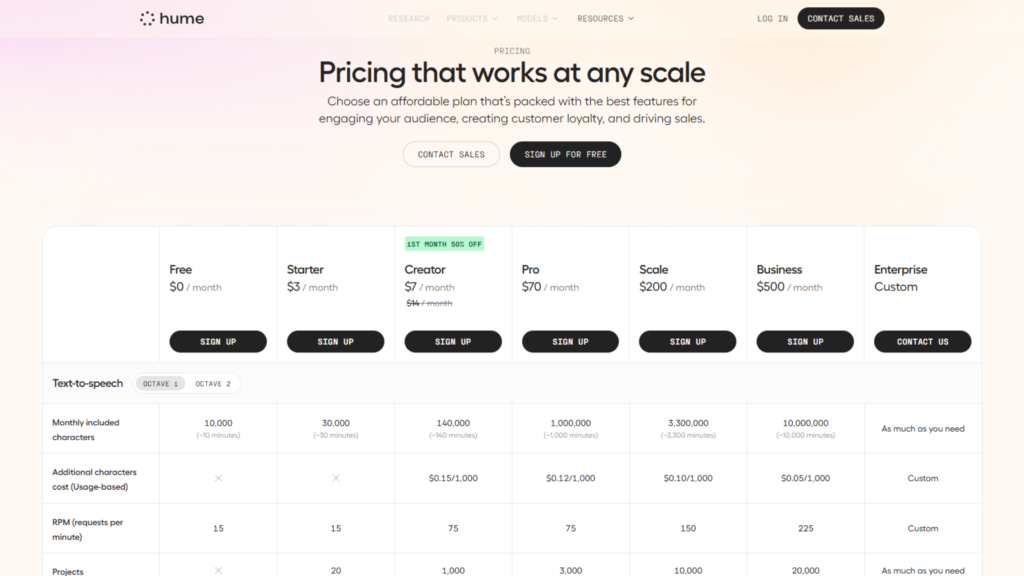
What I do notice are signals of a usage-based model. There are clear indicators of API access, which typically aligns with consumption pricing. I also see patterns that suggest feature gating and potential limits tied to usage or scale.
There’s no aggressive push to upgrade during initial use, which suggests a product-led growth approach with room for experimentation before monetization kicks in.
This lack of transparent pricing often indicates flexibility for different user segments. It could mean startups get lightweight access while enterprise clients negotiate custom terms.
From a strategy standpoint, this suggests a hybrid model. Product-led for adoption, with enterprise expansion as users scale.
After spending time with Hume, it’s clear this isn’t just another AI tool. It’s pushing into a less crowded space focused on emotional intelligence.
It’s best suited for developers, product designers, and teams building conversational or voice-driven experiences. Especially those who care about making AI feel more human. It’s absolutely worth trying, particularly because the time to first meaningful interaction is short.
What stands out most is the emotional layer. That’s the core differentiator. It’s not perfect yet, and there’s a learning curve, but the direction is compelling.
The main strength is its unique positioning and real-time interaction capabilities. The main limitation is that some features require deeper exploration to fully understand.

The Technology newsletter is a weekly digest of tech reviews, columns and headlines from Media Editor Mariebeth De Leus and RoadMap Founder Hoofar Pourzand.
Write to Hoofar at hpourzand@tryroadmap.com or Follow him here.